User Account Settings
The User Account page lets you update your personal information and control how you receive notifications. Access it by clicking your avatar in the top-right corner of the portal.
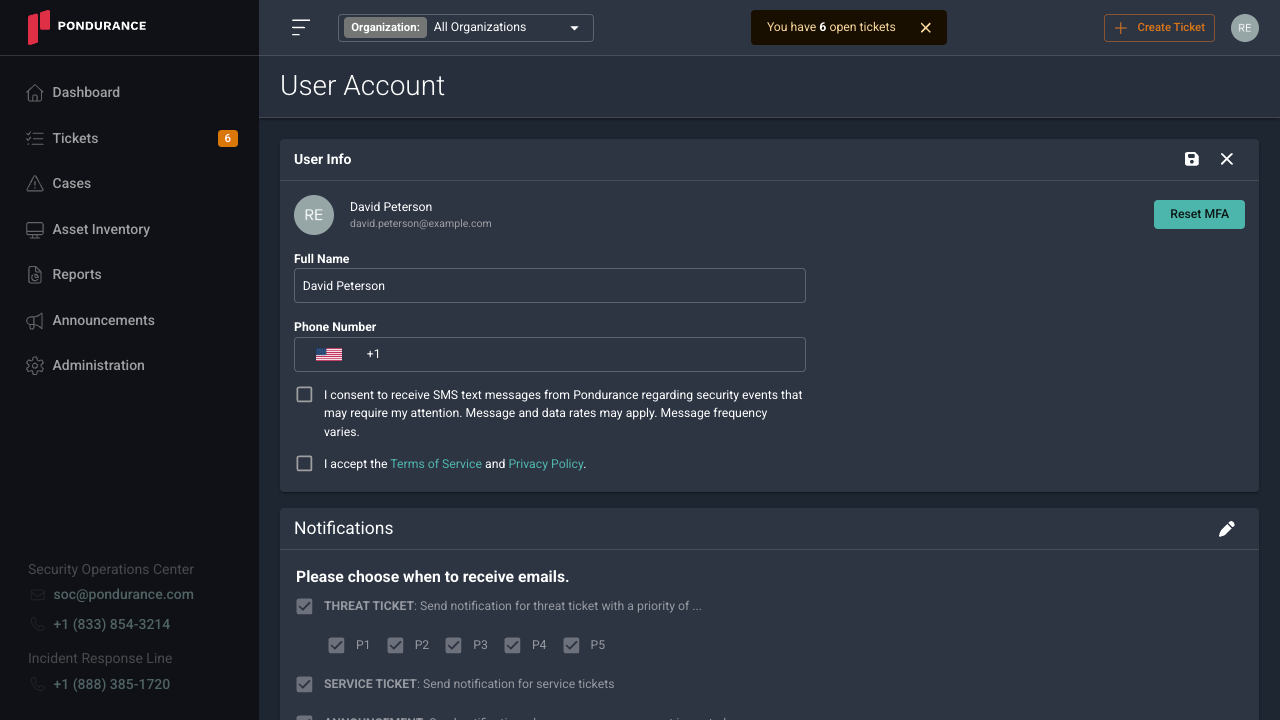
User Info
The User Info section lets you update your display name and phone number.
- Full Name – Edit the field to update the name shown throughout the portal.
- Phone Number – Enter or update your mobile number using the country-code selector and number field.
After entering a phone number, two optional consent checkboxes appear:
- I consent to receive SMS text messages from Pondurance regarding security events that may require my attention. – Grants Pondurance permission to send you SMS alerts when security-related tickets are created. Message and data rates may apply.
- I accept the Terms of Service and Privacy Policy. – Acknowledges your agreement to Pondurance’s terms governing SMS communications.
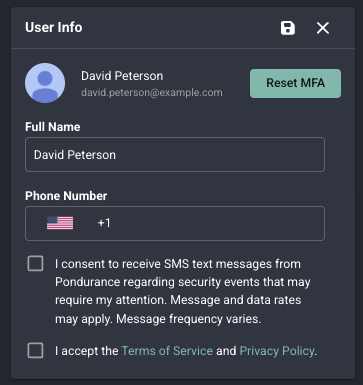
Both checkboxes are optional, but SMS notifications will not be sent unless both boxes are checked. If either checkbox is left unchecked, you will not receive SMS messages when tickets are created, even if a phone number has been entered.
Your phone number may be used by the Pondurance SOC team to contact you directly during a security event if you have been added as a response recipient. Keep this number current to ensure you can be reached when action is required.
Save any changes by clicking the save icon at the top-right of the User Info card.
Email Notifications
The Notifications section controls which events trigger email alerts to you. Click the pencil icon to edit your preferences.
| Notification | Description |
|---|---|
| Threat Ticket | Receive an email when a threat ticket is created. Filter by priority: P1 – P5. |
| Service Ticket | Receive an email when a service ticket is created. |
| Announcement | Receive an email when a new announcement is posted. |
| Report Email | Receive an email when a report is generated. Optionally include the report PDF as an attachment. |
| Ticket Create | Receive an email each time any ticket is created. |
| Ticket Update | Receive an email each time any ticket is updated. |
Check or uncheck each option to match your preferred notification frequency.