Export Cribl Stream Logs
Overview
This guide explains how to configure a Cribl Stream Amazon S3 destination to deliver logs to a Pondurance-managed S3 bucket.
Pondurance will provide:
- AWS Access Key ID
- AWS Secret Access Key
- S3 bucket name
- Customer organization code
- Approved log source names
Important: Treat the AWS credentials as secrets. Do not include them in email threads or support tickets.
Required S3 Object Structure
Cribl must write objects using the following structure:
{customer_org_code}/cribl/{log_source}/YYYY/MM/DD/HH/
For example, CloudTrail logs for organization pontst must be written under:
pontst/cribl/aws_cloudtrail/2026/07/17/14/
The currently supported log source is:
aws_cloudtrail
Only configure log sources that Pondurance has confirmed are in scope.
Cribl Stream Setup
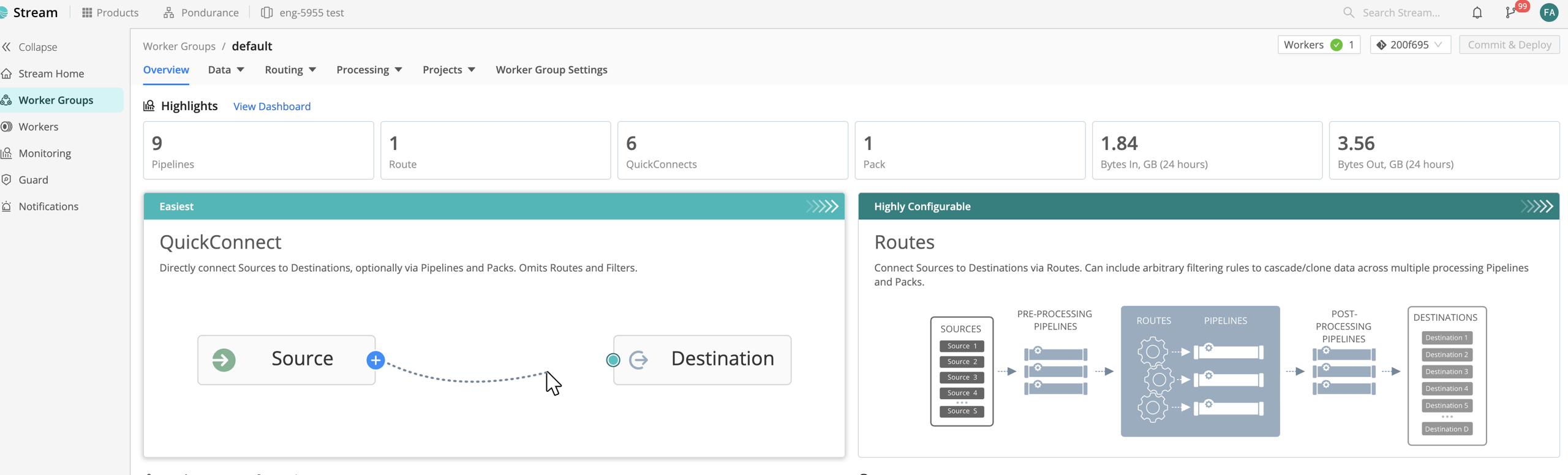
Step 1: Open QuickConnect
-
Sign in to Cribl.
-
Select Products from the top navigation bar, then select Cribl Stream.
-
Under Worker Groups, select the Worker Group where the destination will be configured.

-
Select Routing -> QuickConnect.
Step 2: Add an Amazon S3 Destination
-
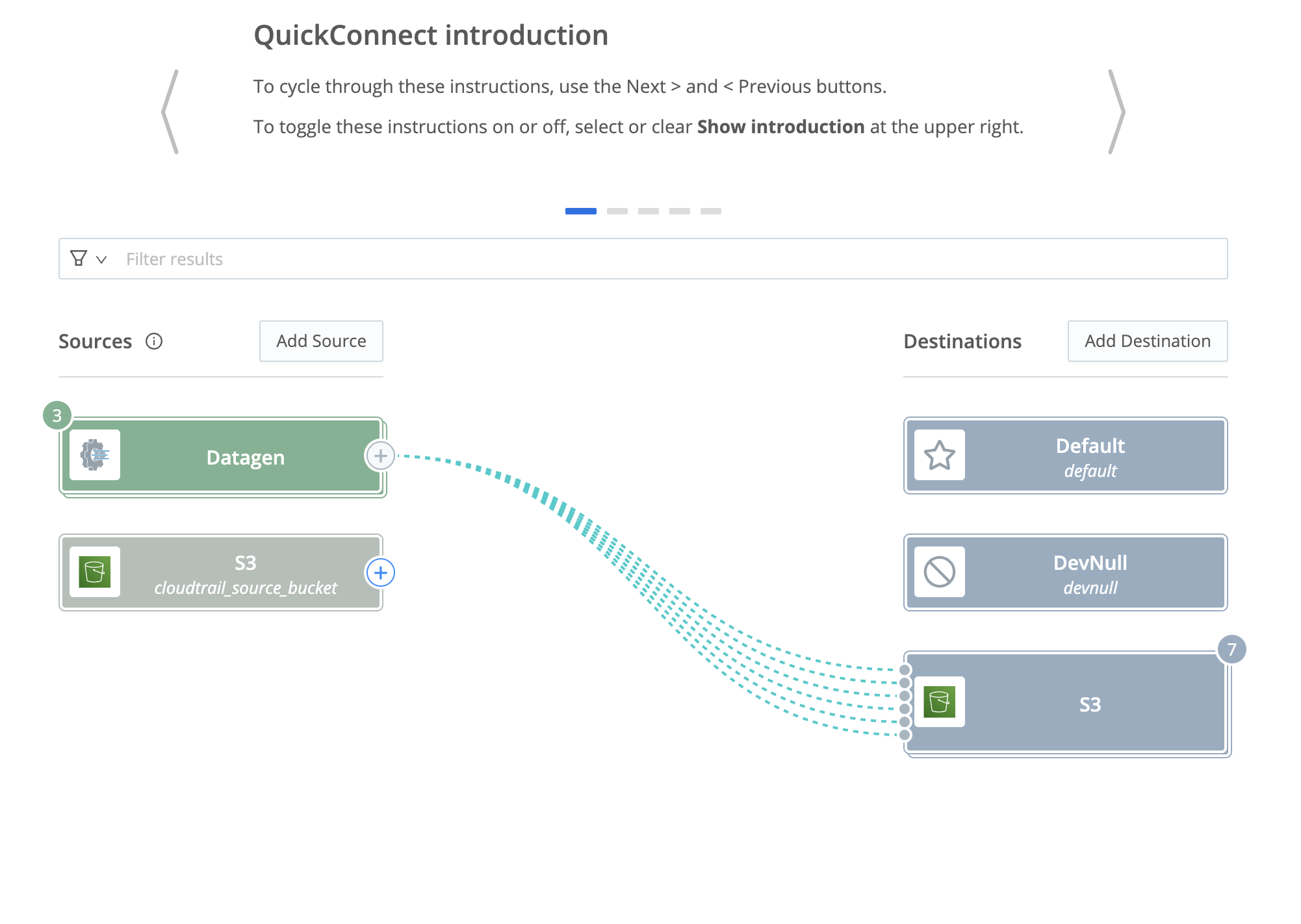
Click Add Destination above the destination list.
-
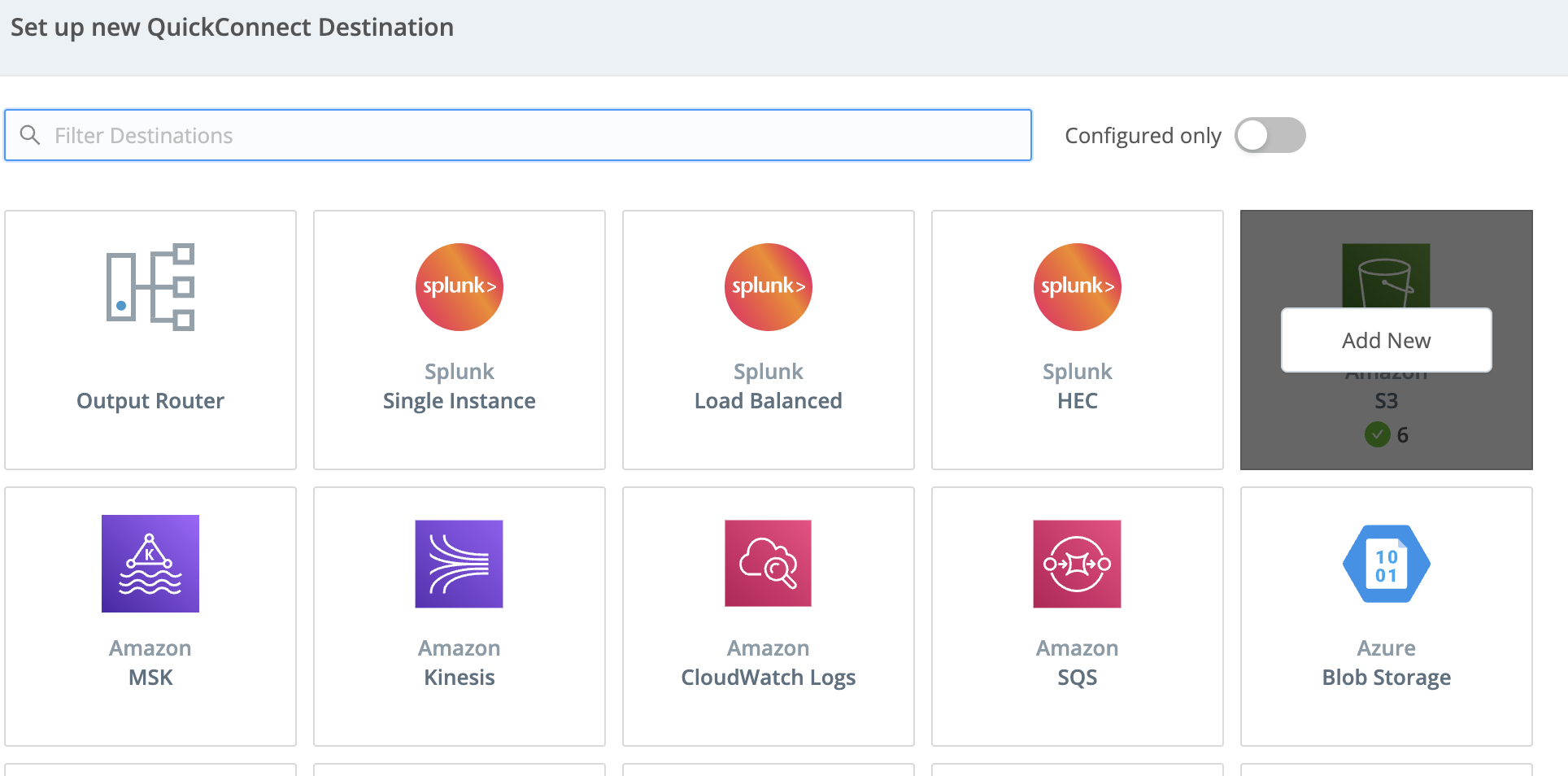
Select Amazon S3.
Step 3: Configure General Settings
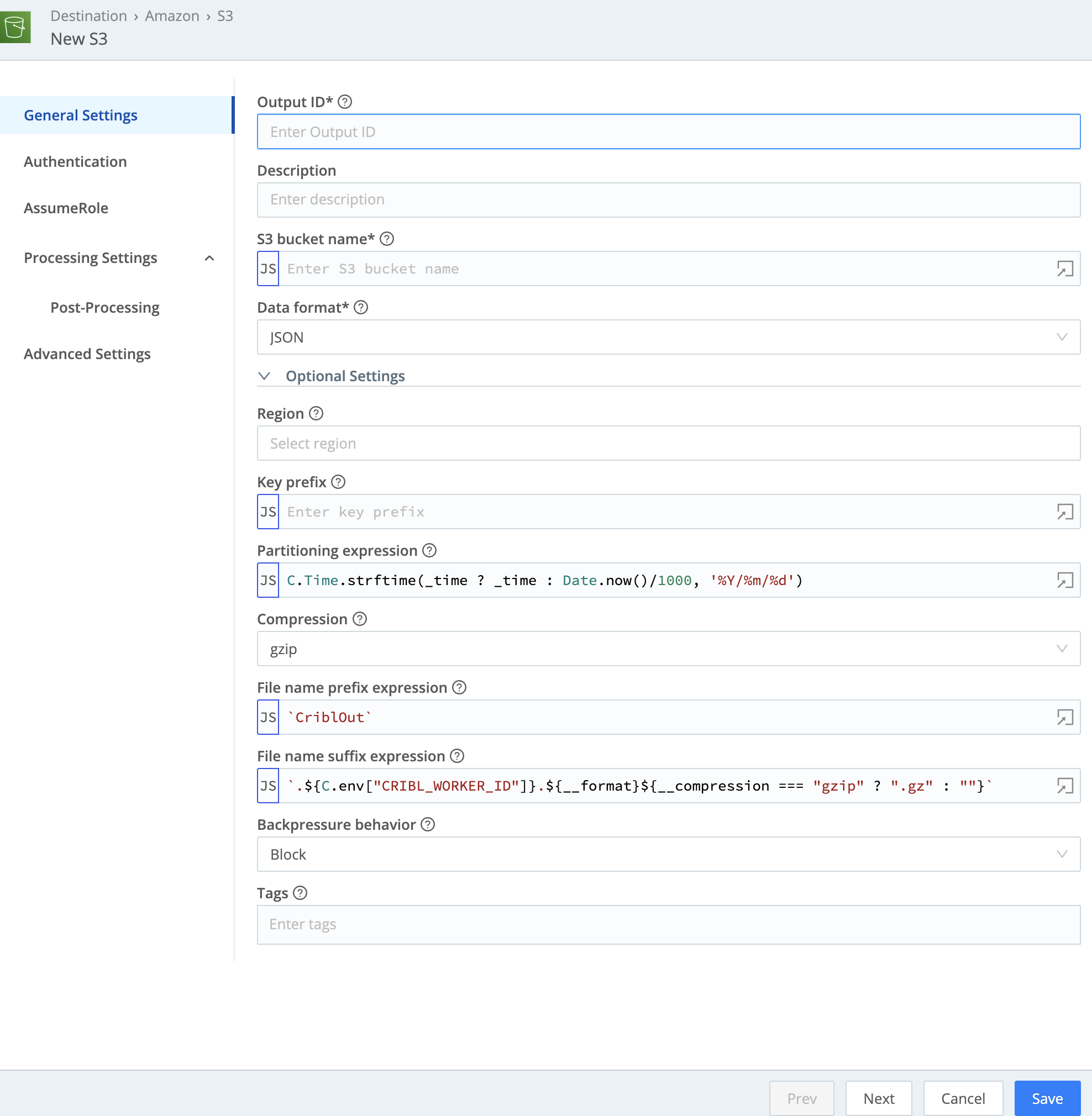
On the General Settings tab, configure the following values and leave all other settings at their defaults:
| Setting | Value |
|---|---|
| Output ID | A unique name, such as pon-cribl-stream |
| Description | Optional; for example, Pondurance log stream |
| S3 bucket name | Exact bucket name provided by Pondurance |
| Data format | JSON |
| Region | us-east-2 |
| Key prefix | {customer_org_code}/cribl/{log_source} |
| Partitioning expression | C.Time.strftime(_time ? _time : Date.now()/1000, '%Y/%m/%d/%H') |
Example key prefix:
pontst/cribl/aws_cloudtrail
Important: The customer organization code and log source name must exactly match the values provided by Pondurance.
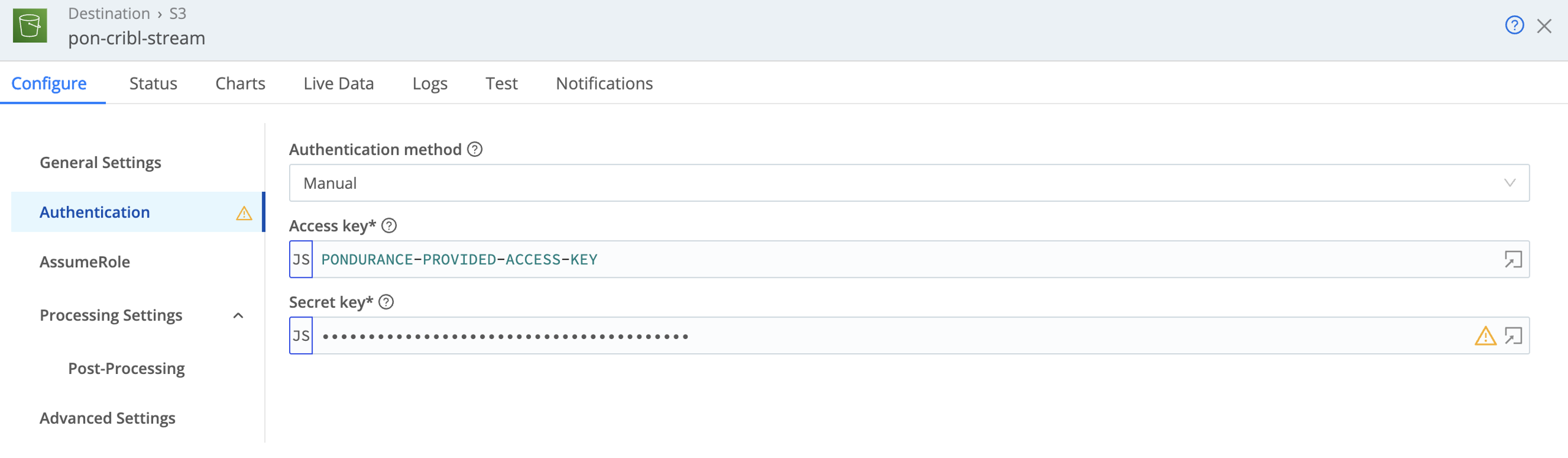
Step 4: Configure Authentication
-
Open the Authentication tab.
-
Set Authentication method to Manual.
-
Enter the Access Key and Secret Key provided by Pondurance.
Step 5: Configure Advanced Settings
-
Open the Advanced Settings tab.
-
Turn off Verify if bucket exists.
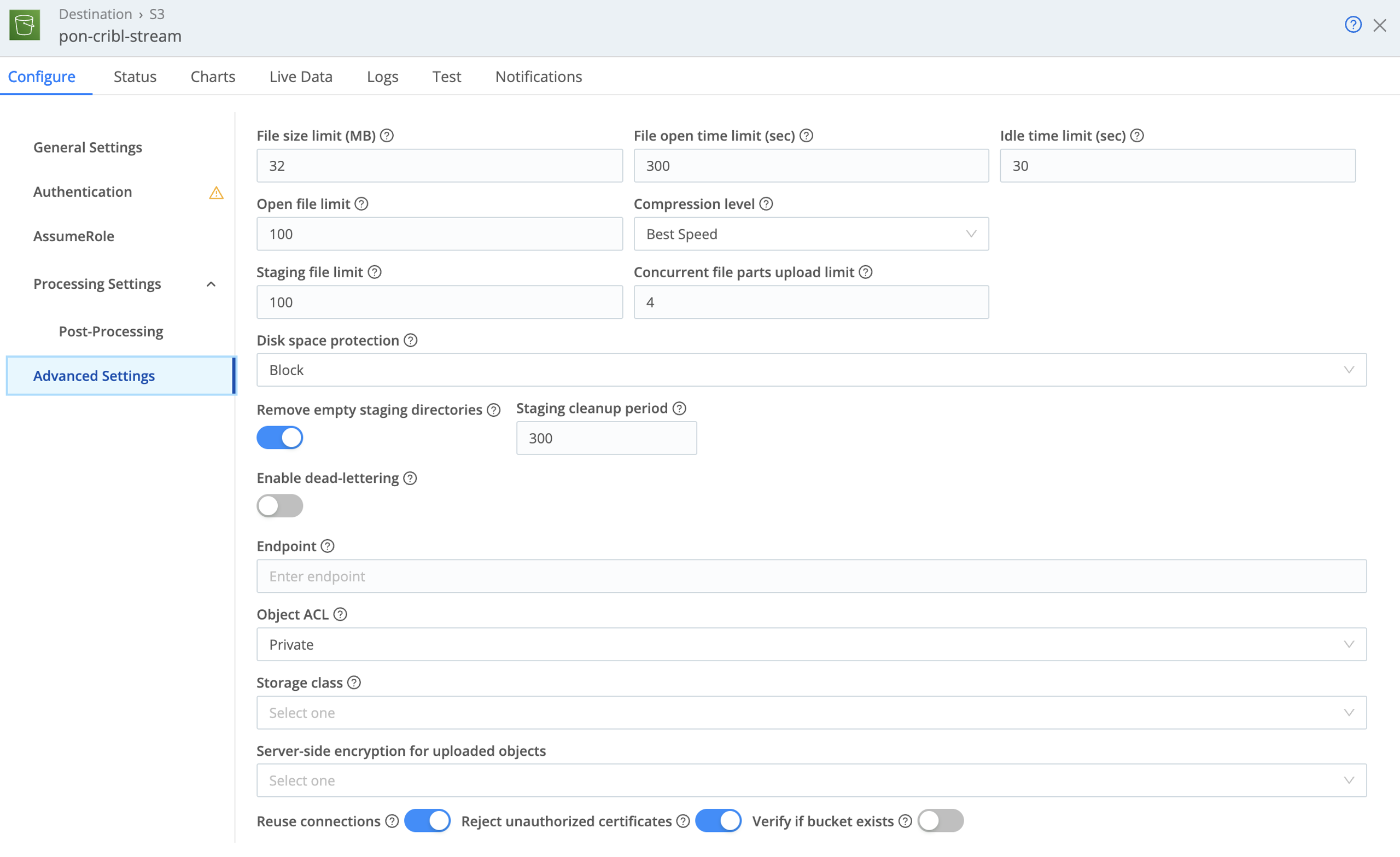
The Pondurance-provided credentials are limited to the assigned object prefix and may not have permission to perform a bucket-level existence check.
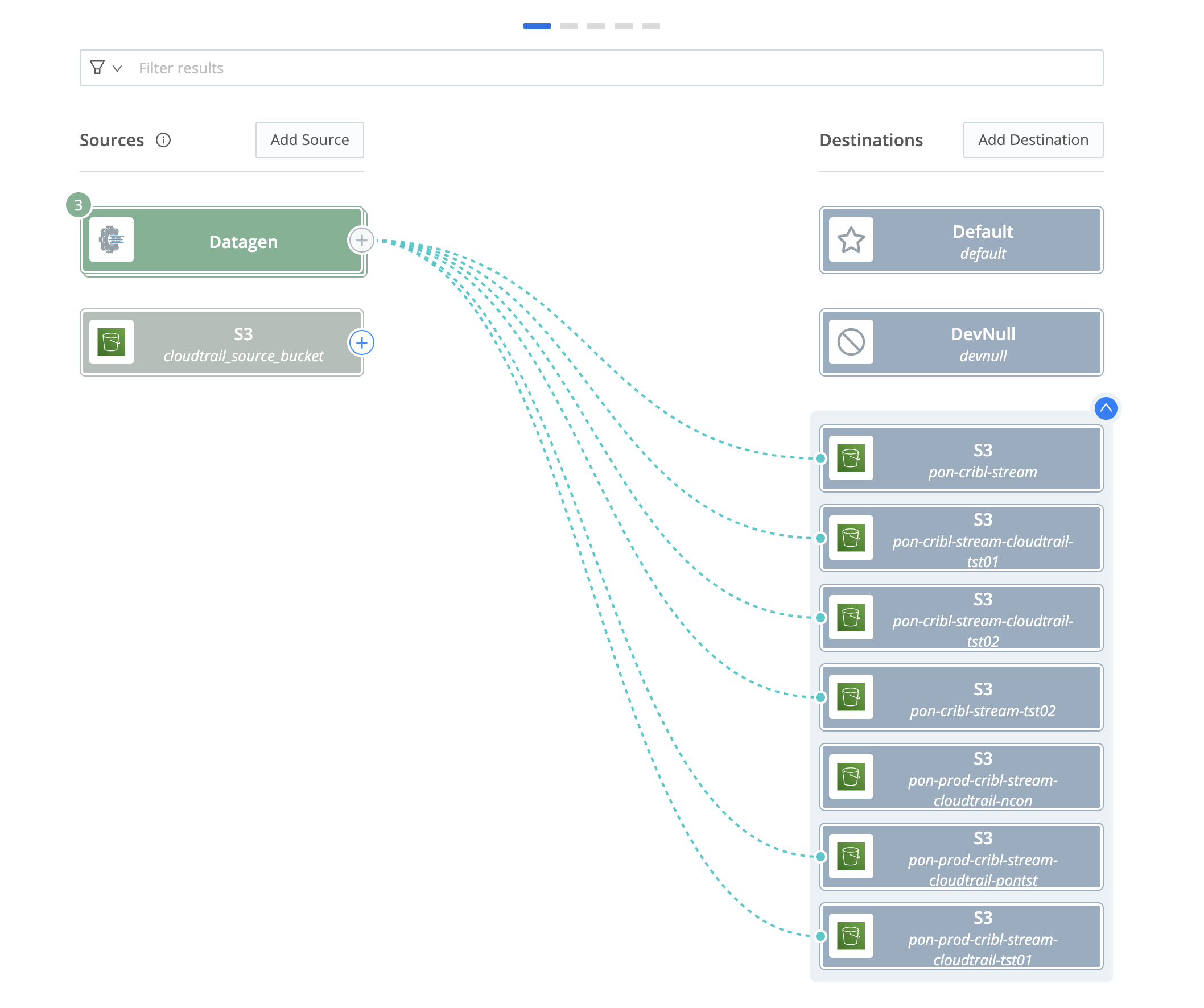
Step 6: Connect the Source to the Destination
-
Return to QuickConnect.
-
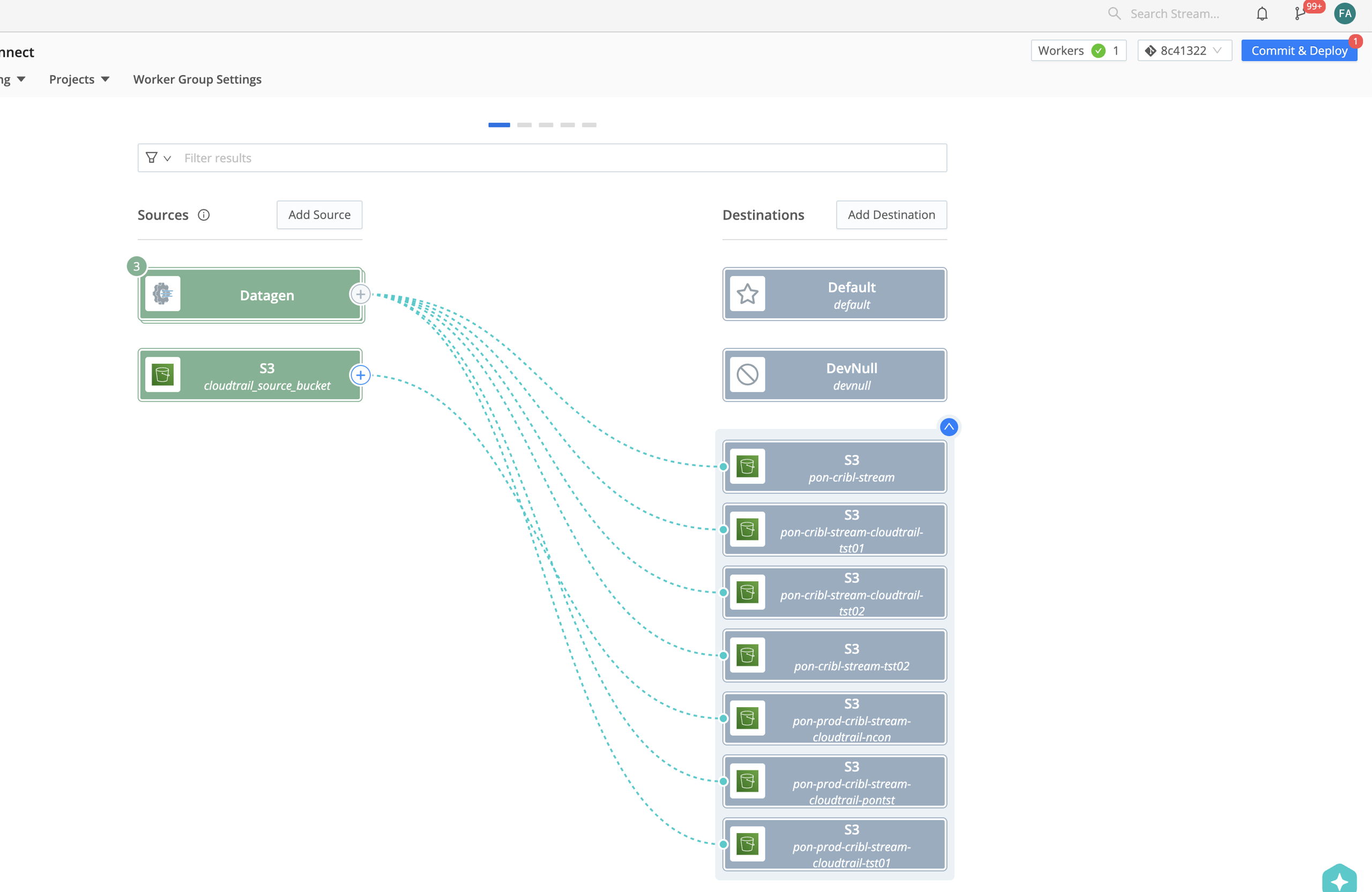
Click the plus sign beside the source that will send data to Pondurance.
-
Drag the dashed connection line to the new Amazon S3 destination.
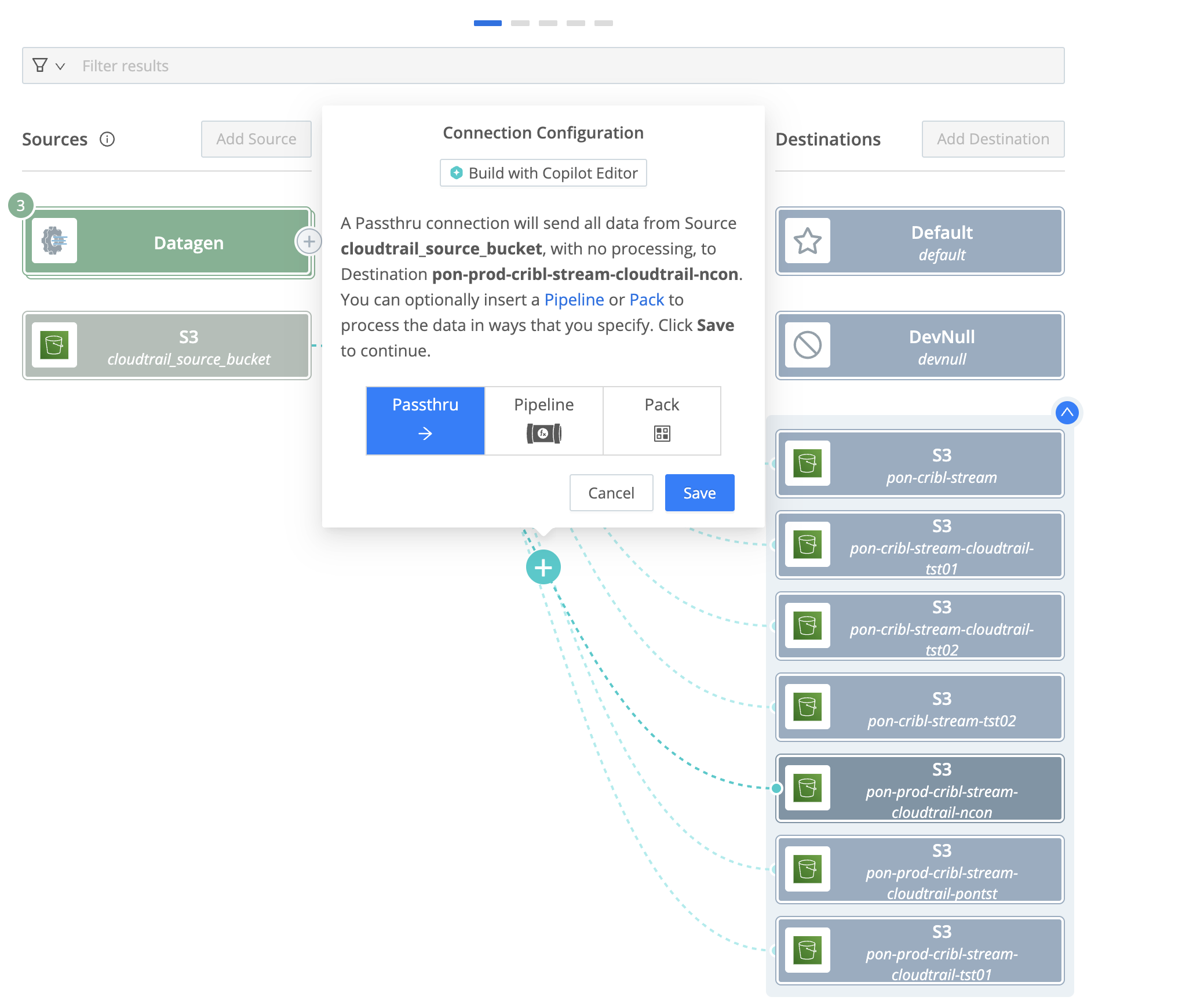
-
Select Passthru, then click Save to create the route.
Step 7: Commit and Deploy
-
Click Commit & Deploy in the upper-right corner.
-
Enter an appropriate commit message and deploy the changes to the Worker Group.
Validate Log Delivery
- Confirm that the source is connected to the new destination in QuickConnect.
- Confirm that the destination reports a healthy connection.
- Generate activity for the configured log source, if practical.
- Notify your Pondurance onboarding contact that test data has been sent.
- Pondurance will confirm receipt, object-path structure, and parsing.
Troubleshooting
Authentication Failure
- Re-enter the Access Key and Secret Key.
- Confirm that Authentication method is set to Manual.
- Confirm that the credentials have not expired or been rotated.
Bucket Verification Failure
- Confirm that Verify if bucket exists is turned off under Advanced Settings.
- Confirm the bucket name and Region match the values provided by Pondurance.
Data Arrives in the Wrong Path
-
Confirm the key prefix uses
{customer_org_code}/cribl/{log_source}. -
Confirm the organization code and log source name are lowercase and exactly match the values provided by Pondurance.
-
Confirm the partitioning expression is:
C.Time.strftime(_time ? _time : Date.now()/1000, '%Y/%m/%d/%H')
No Data Arrives
- Confirm the Cribl changes were committed and deployed.
- Confirm the source is connected to the destination through a Passthru route.
- Confirm the source contains recent events.
- Review the destination health and Cribl internal logs for delivery errors.
Need Help?
Contact your Pondurance onboarding representative and include:
- Cribl Worker Group name
- Output ID
- Configured log source name
- Approximate time of the most recent expected delivery
- Cribl destination health or error text
Do not include the AWS Secret Access Key.