Export Cisco Umbrella Logs
This page outlines the steps required to configure the Cisco Umbrella logs to ingest into AWS S3.
-
In Cisco Umbrella, navigate to Admin -> Log Management and select Use a Cisco-managed Amazon S3 bucket.
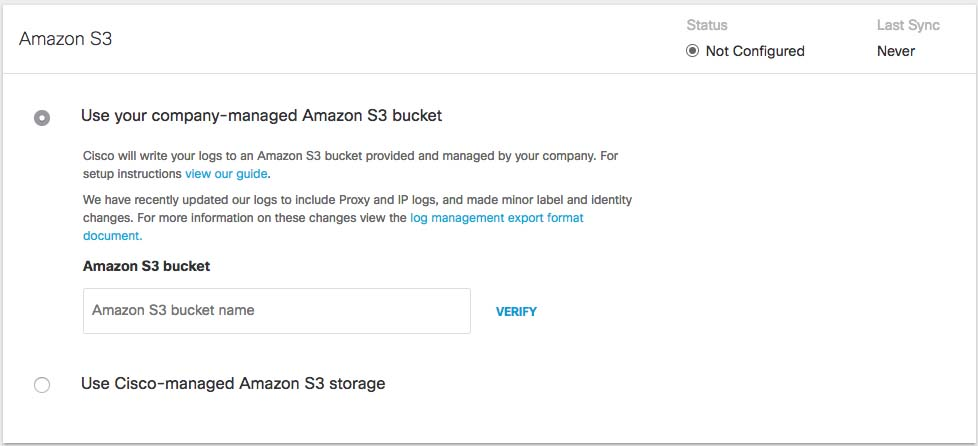
-
Select a Region and a Retention Duration.
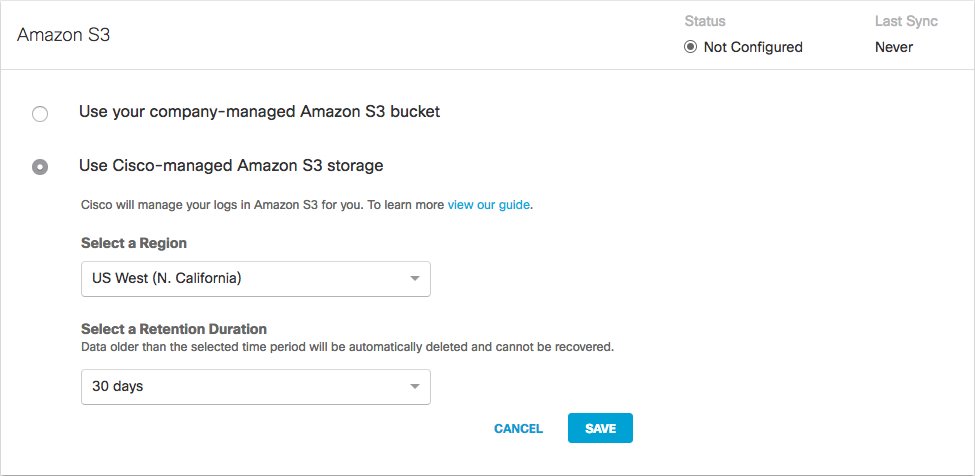
Note: Regional endpoints are important to minimize latency when downloading logs to your servers. The regions listed match those available in Amazon S3. Pick the region closest to you from the dropdown. If you wish to change your region in the future, you will need to delete your current settings and start over.
-
Retention Duration: Select 7, 14, or 30 days. Beyond the selected time period, all data will be purged and cannot be retrieved. A smaller retention period is recommended if your ingestion cycle is regular. The retention duration can be changed at any time.
-
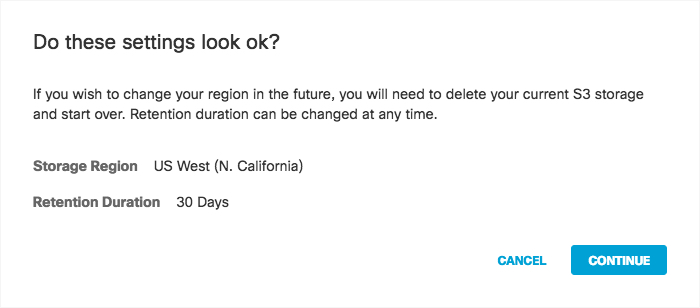
Click Save and then Continue to confirm your settings.
-
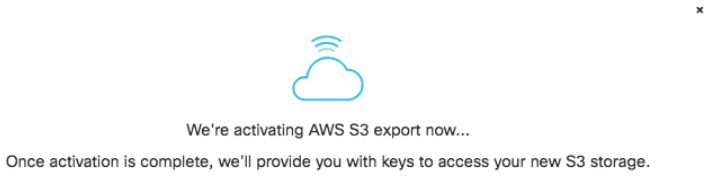
Umbrella activates its ability to export to an AWS S3 account. When activation is complete, the Amazon S3 Summary page appears.
-
Copy the credentials from this page and store them in a safe place.
Note: This is the only time that the Access and Secret keys are made available to you. These keys are required to access your S3 bucket and download logs. If you lose these keys, they must be regenerated.
-
Once keys are copied and safe, select Got it and then click Continue.
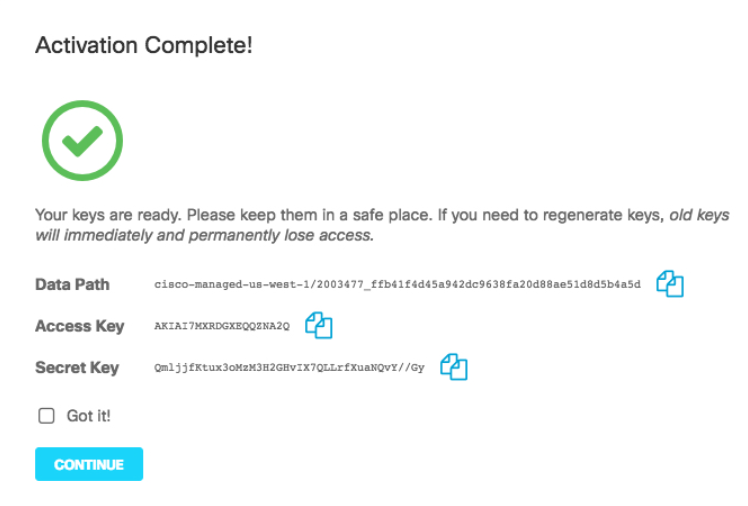
Note: Continue is unavailable until you check Got it.