Proofpoint TAP
Overview
Configuring a cloud source in Scope is a two-step process.
-
Generating Proofpoint TAP (Targeted Attack Protection) API credentials in the Proofpoint TAP Dashboard. Please refer to Section 1 – Proofpoint TAP Setup
-
Setting up the Proofpoint TAP cloud source in the Scope application. Please refer to Section 2 – Scope Setup
Proofpoint TAP Setup
To get started, you’ll need to generate the following credentials in the Proofpoint TAP Dashboard –
- Service Principal
- Service Secret
Step 1: Generate API Service Credentials
Note: Only Proofpoint TAP administrators with the appropriate role can create API credentials.
-
Log into the Proofpoint TAP Dashboard.
-
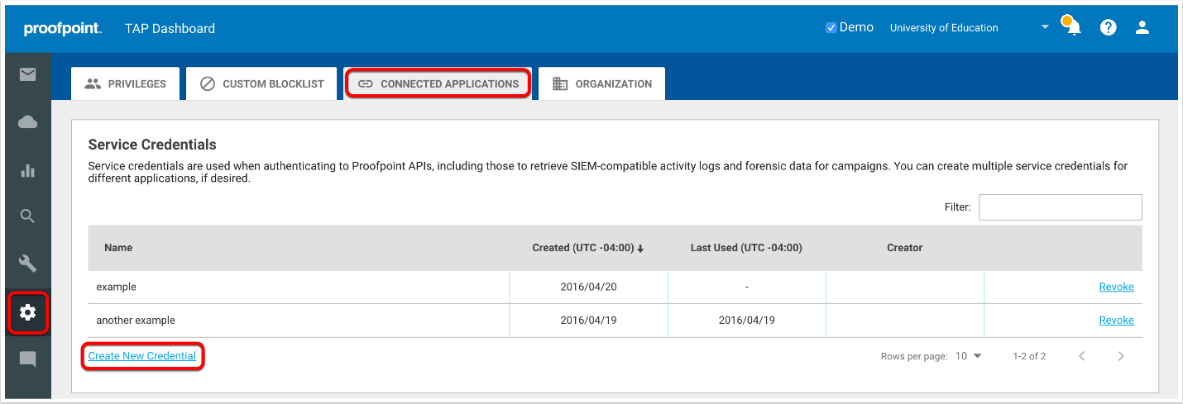
Navigate to Settings -> Connected Applications.
-
Click Create New Credential (or Authorize New API Credential).
-
Provide a Name (user defined) to describe the credential’s purpose, then click Generate.
-
Copy the Service Principal and Service Secret displayed on the page.
Note: Save the Service Secret to a secure location, as it cannot be retrieved again after navigating away from the page.
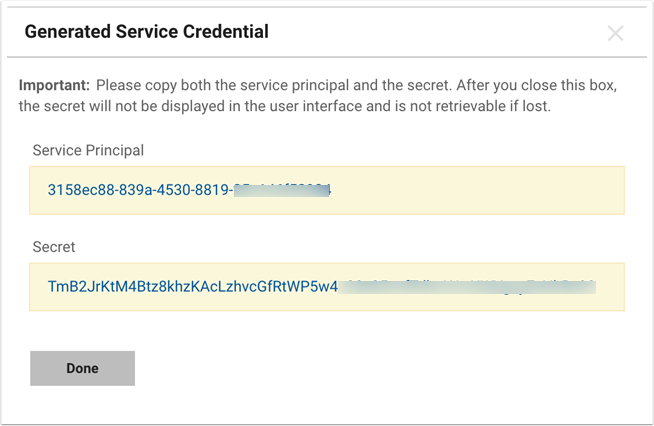
The Service Principal and Service Secret are to be configured in Scope Setup: Step 1 for initiating the Proofpoint TAP log ingestion.
Scope Setup
Step 1: Proofpoint TAP Cloud Source Registration in the Scope Application
Once the credentials are generated, they must be configured in the Scope application to establish the connection and enable data ingestion from the Proofpoint TAP environment.
In the Scope application, to register a Proofpoint TAP cloud source, navigate to the cloud source registration page –
-
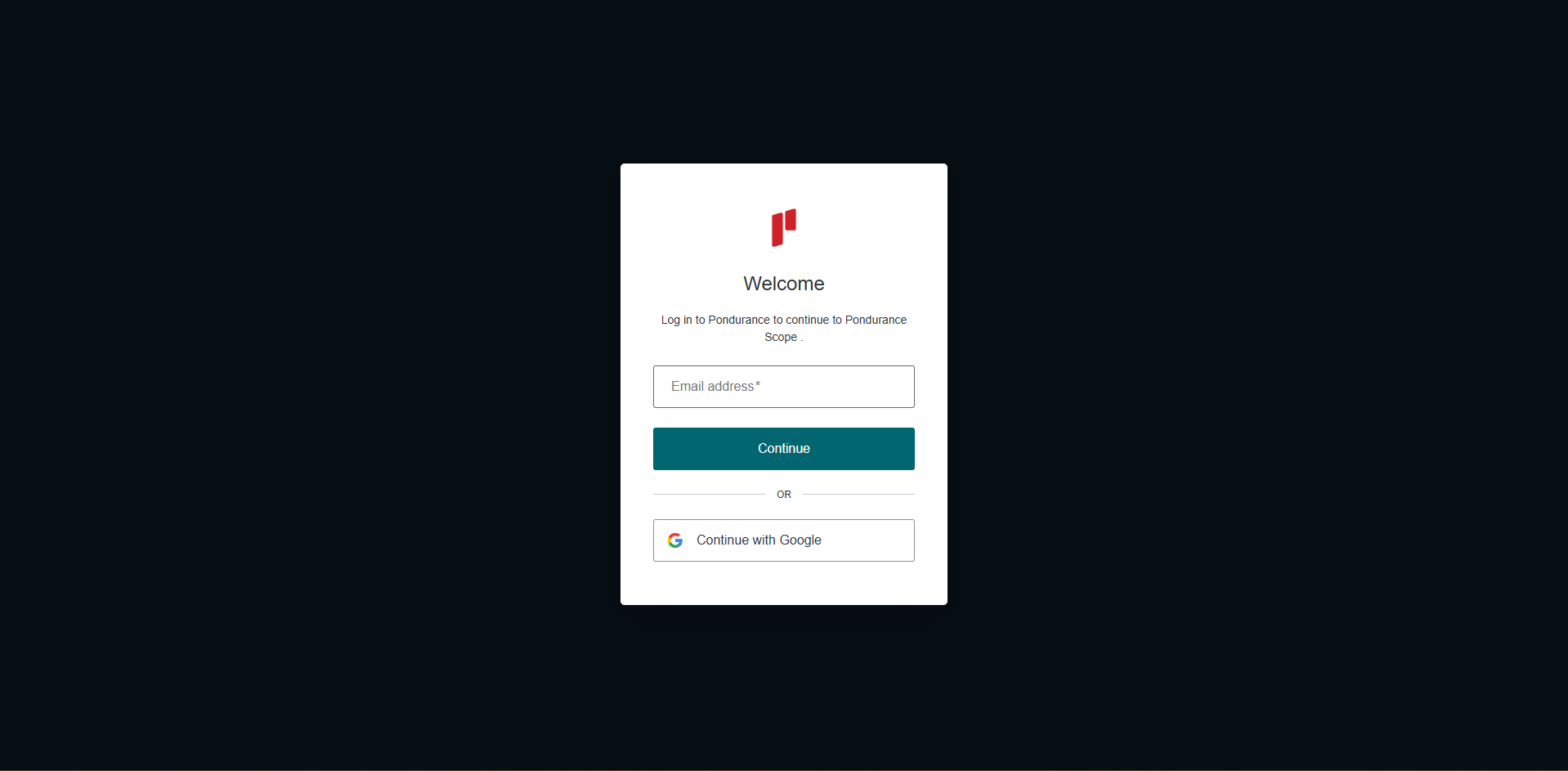
Log into the Scope application
-
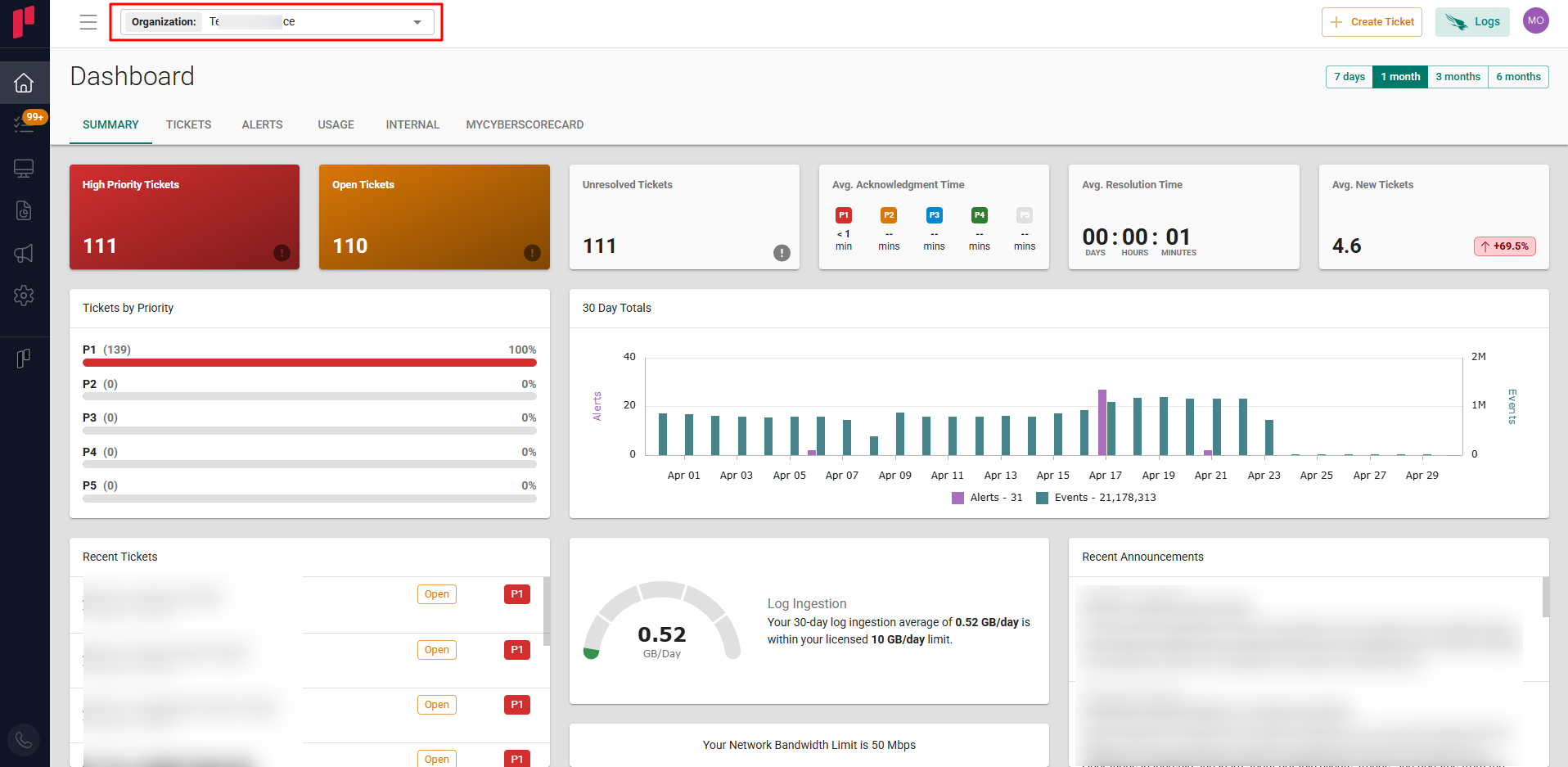
Select the required Organization from the Organization dropdown
-
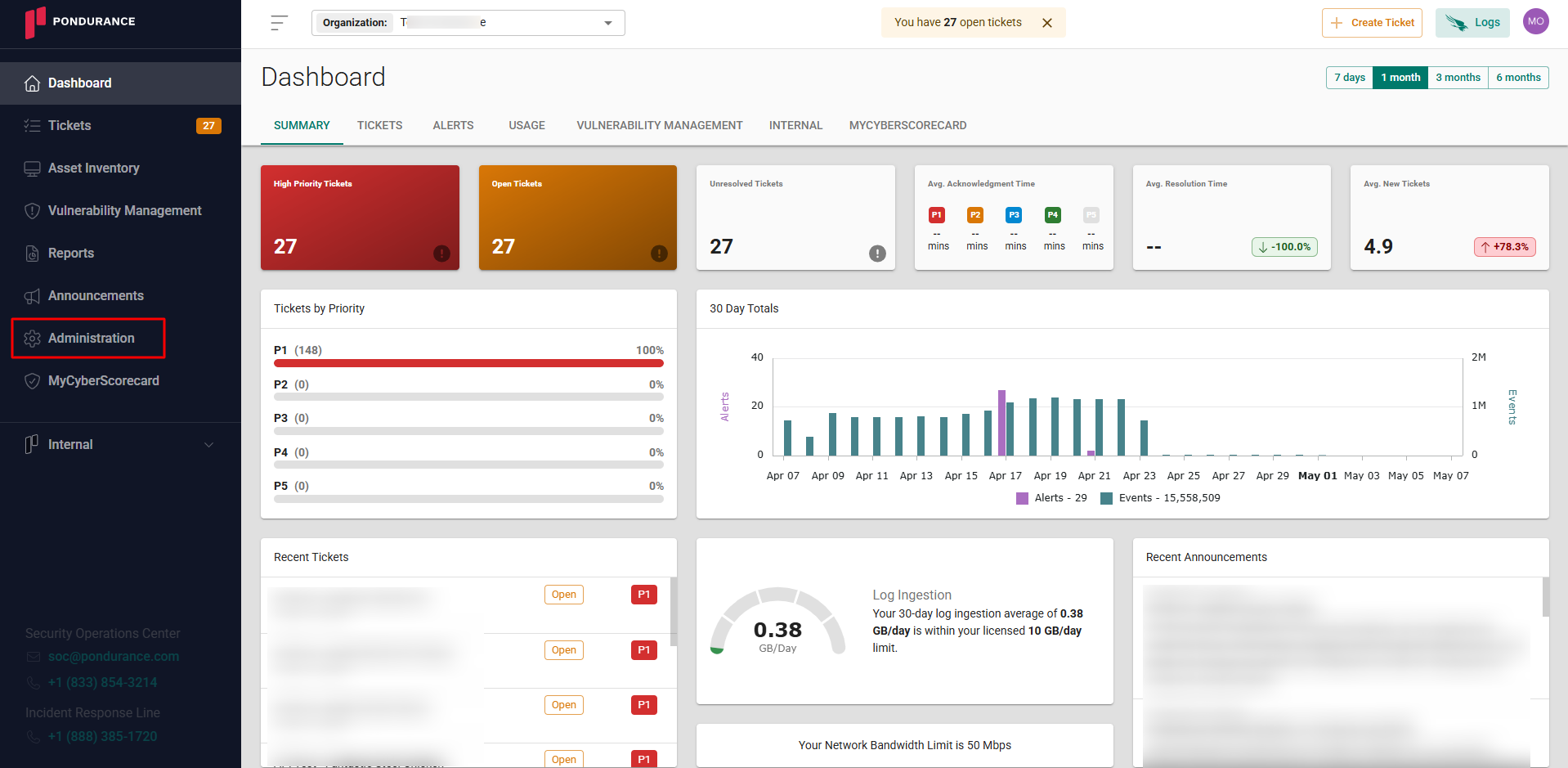
Navigate to the side menu -> Administration
-
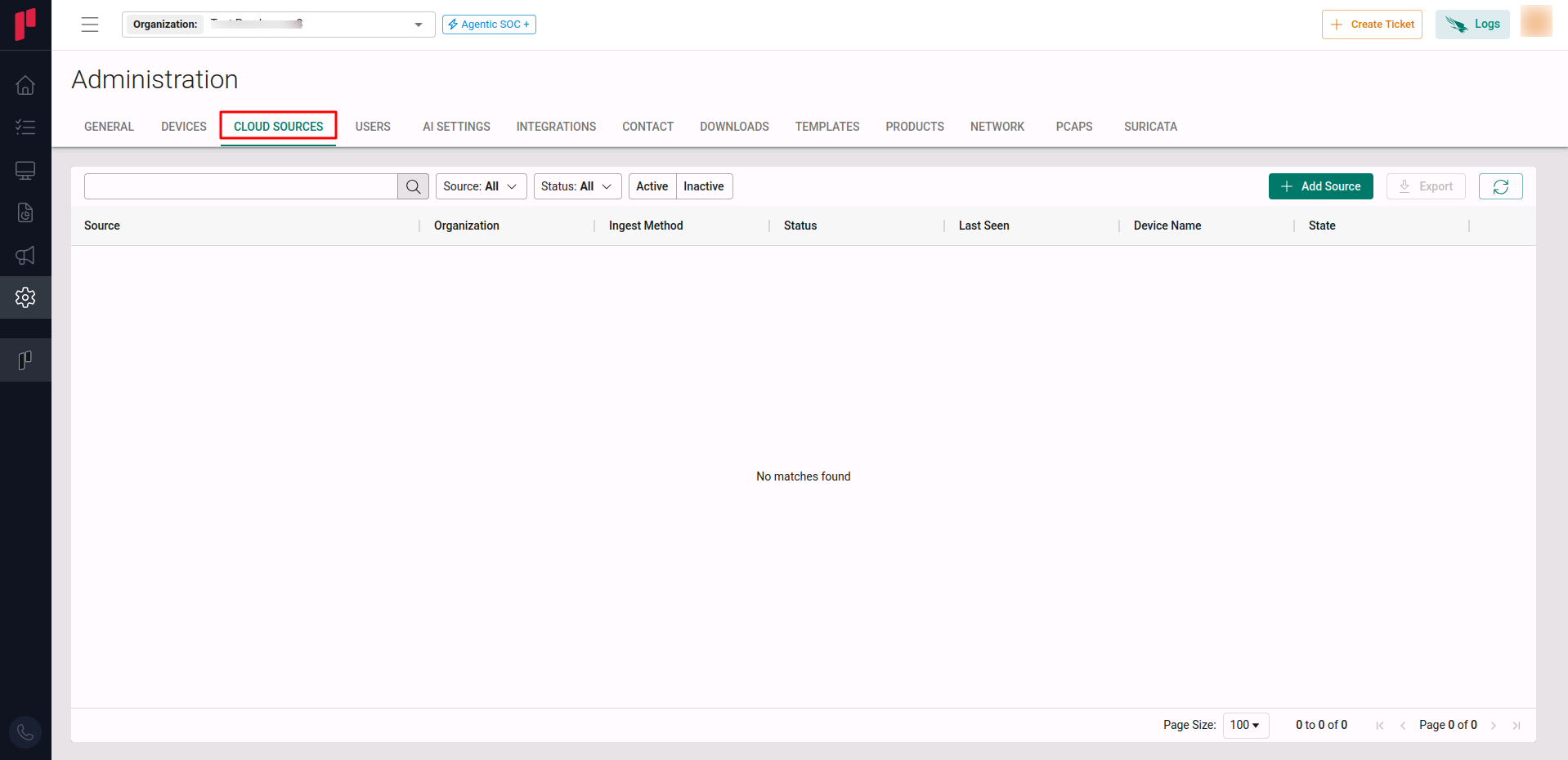
Navigate to the Cloud sources tab
-
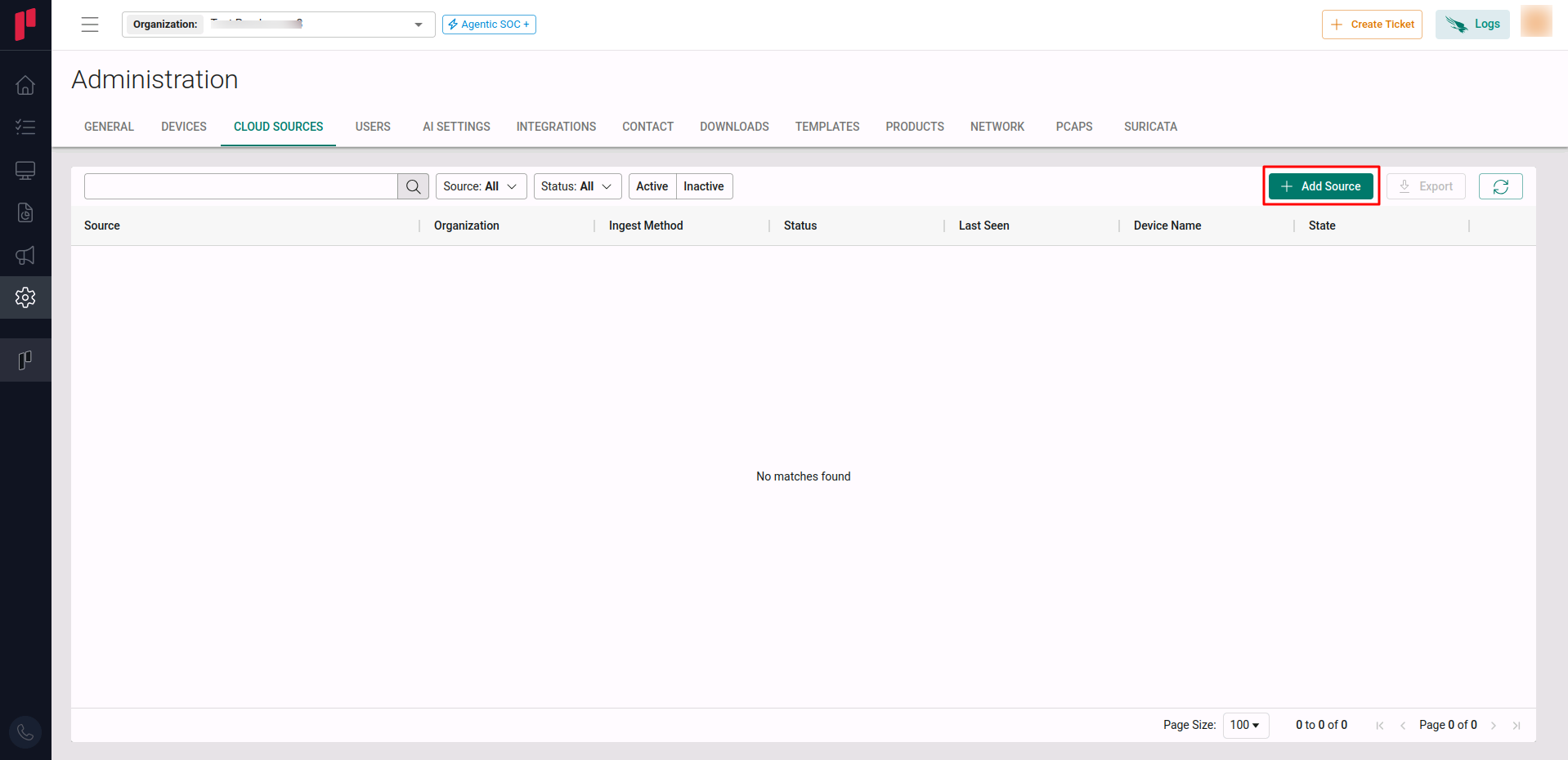
Click on the +Add Source button
-
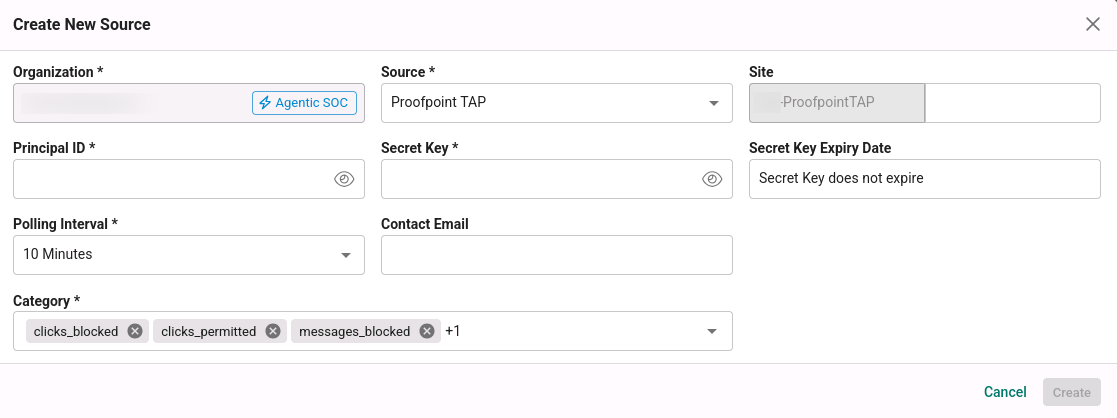
In the Add Source pop-up, provide the parameters below.
-
Source: Select the Proofpoint TAP source from the Source dropdown.
-
Site: The user defined name for the Proofpoint TAP cloud source.
-
Service Principal: The Service Principal generated in Step 1.
-
Service Secret: The Service Secret generated in Step 1.
-
Log Types: The event categories to ingest. Supported categories include: Clicks Blocked, Clicks Permitted, Messages Blocked, Messages Delivered.
-
Polling Interval: The polling interval for making periodic API calls to the Proofpoint TAP SIEM API. The user can select the time interval from the dropdown.
-
Contact Email: The email address of the person who registers the Proofpoint TAP cloud source in Scope.
-
Once the required connection parameters are entered, the Proofpoint TAP cloud source registration is complete in Scope and is ready for ingestion of Proofpoint TAP logs.