Cisco Secure Endpoint
Overview
Configuring a cloud source in Scope is a two-step process.
-
Generating Cisco Secure Endpoint client credentials in the Cisco Secure Endpoint Portal. Please refer to Section 1 – Cisco Secure Endpoint Setup
-
Setting up the Cisco Secure Endpoint cloud source in the Scope application. Please refer to Section 2 – Scope Setup
Cisco Secure Endpoint Setup
The Cisco Secure Endpoint cloud source can be registered in Scope in the following two ways:
- Option 1 – Using existing Queue Credentials (Username, Queue Name, Password, Host, Port)
- Option 2 – Using Client ID / API Key (to create a new streaming queue via Scope)
Step 1: Create API Credentials
Note: If a streaming queue has already been created and the credentials are available, skip this step and proceed directly to Scope Setup.
-
Navigate to the Cisco Secure Endpoint portal and log in.
-
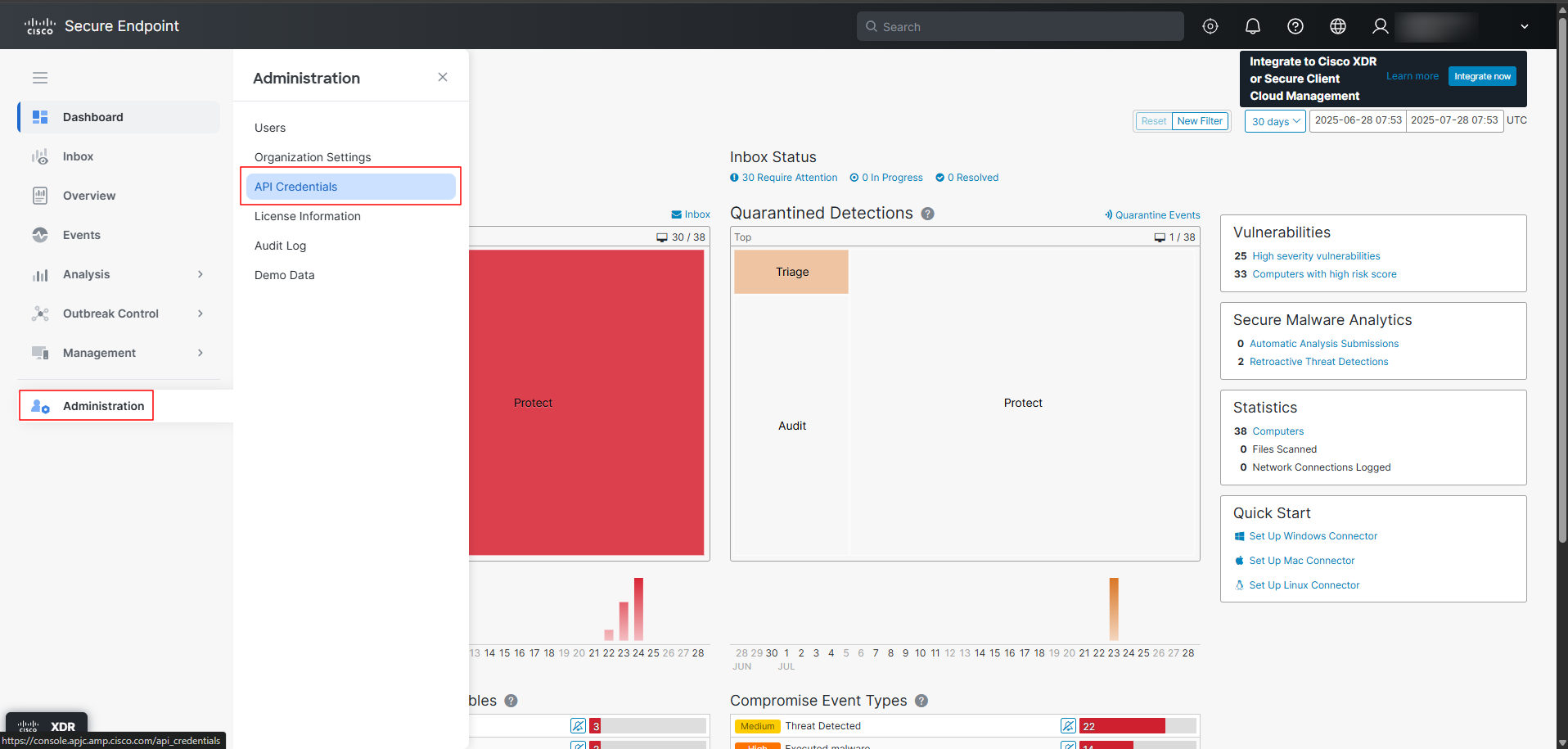
Navigate to Administration -> API Credentials.
-
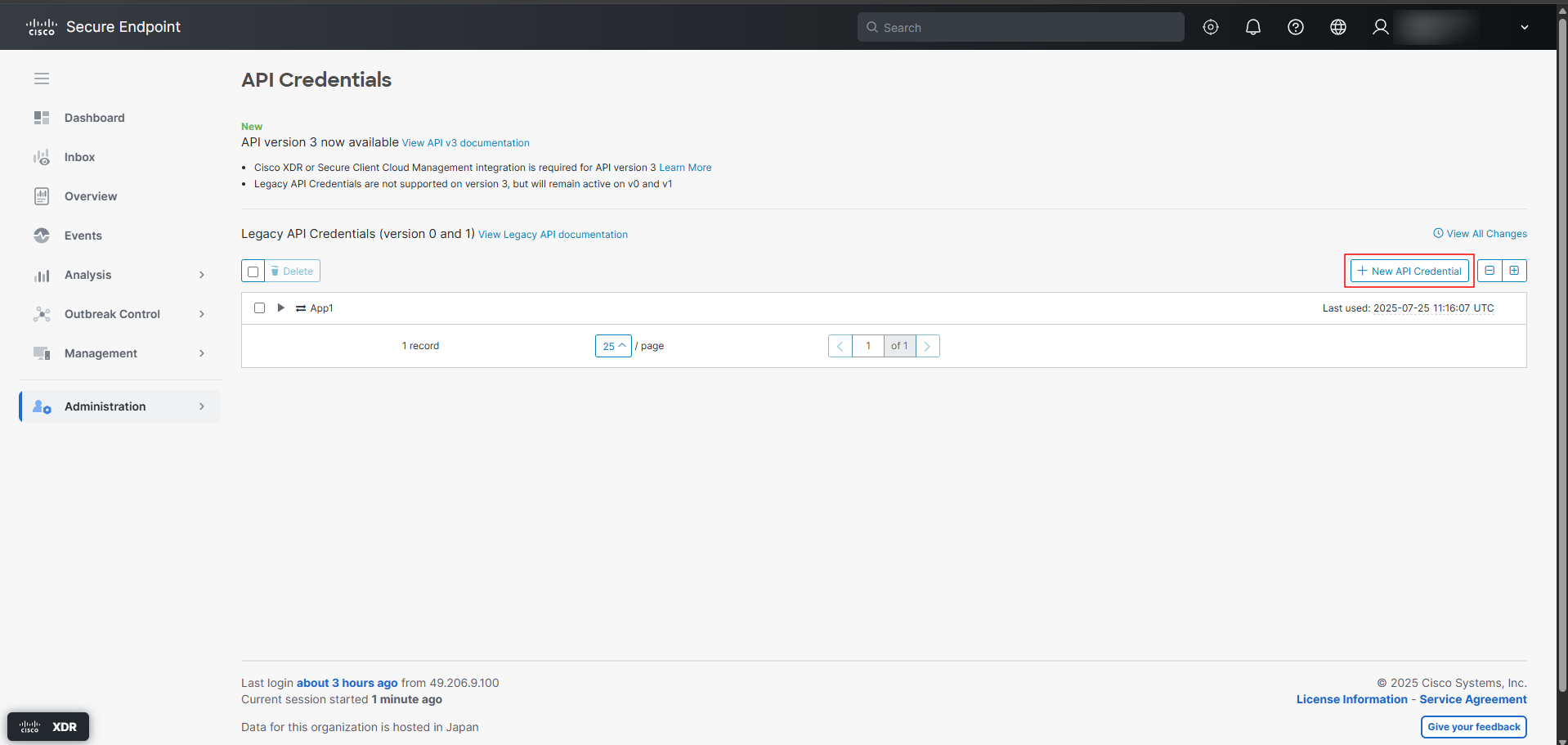
Select New API Credential to create a new API credential.
-
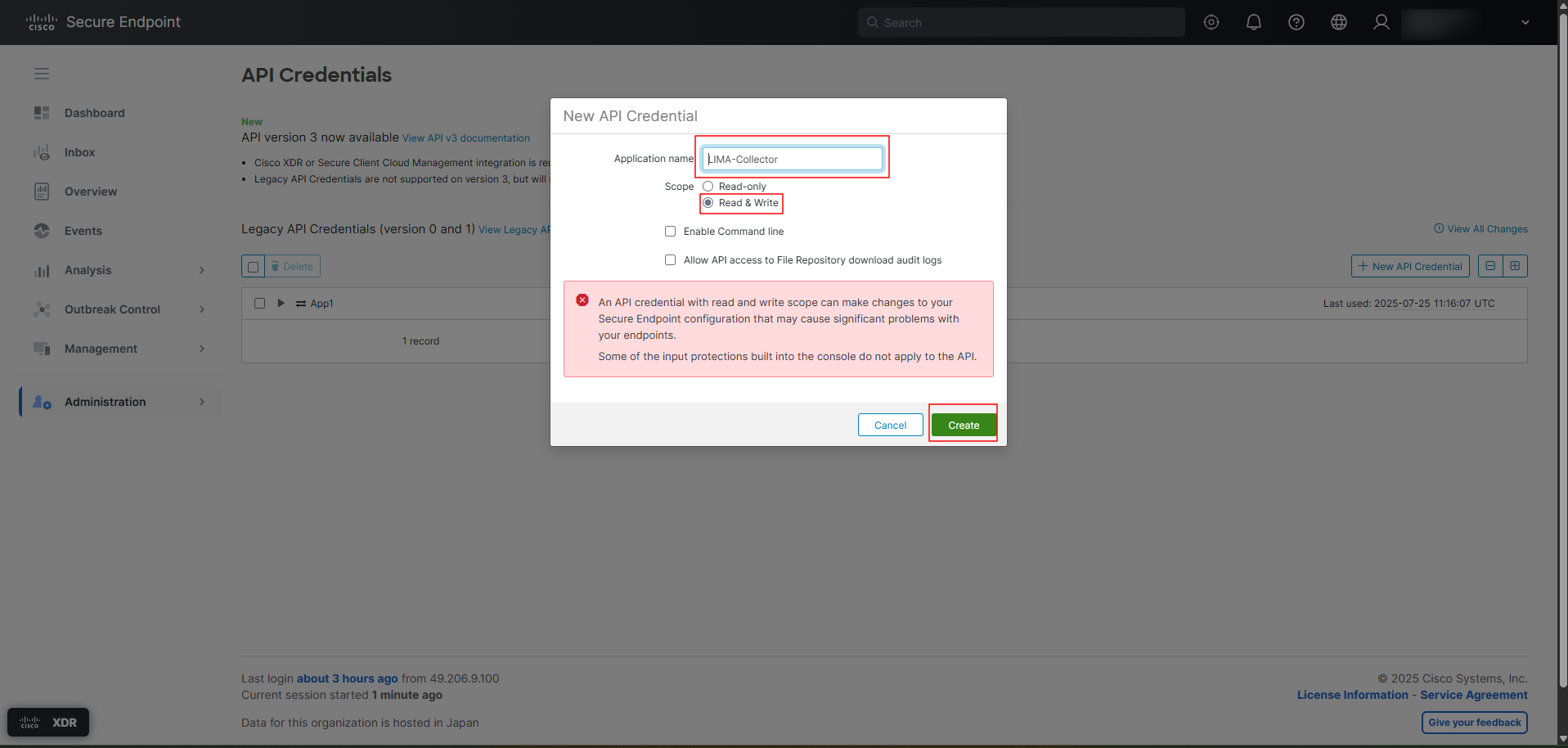
Enter the Application Name, grant the credential Read & Write access, and click Create.
-
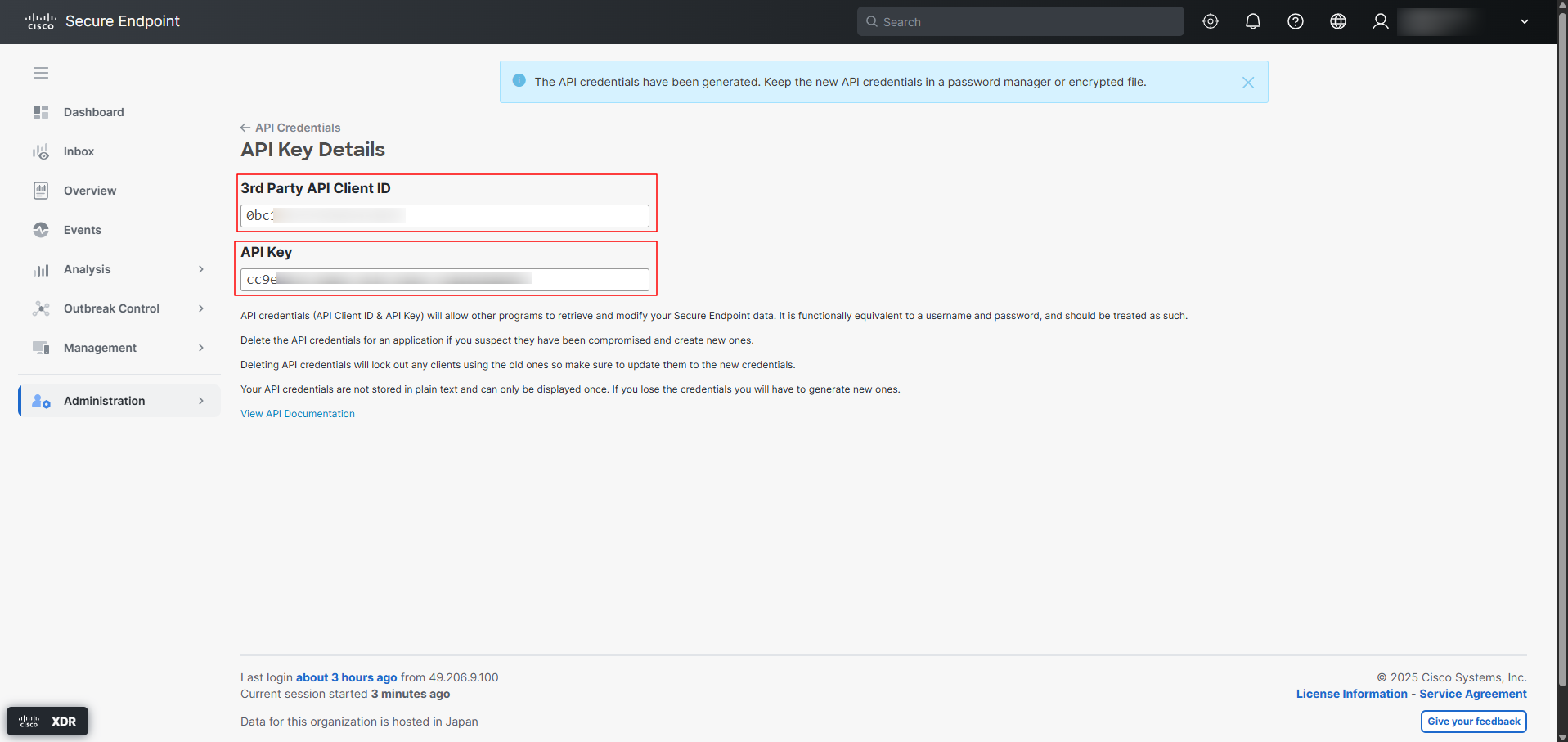
Copy the generated API credential (Client ID and API Key).
Step 2: Fetch Group GUID & Event Type IDs (Optional)
Note: This step is optional and can be skipped if you would like to ingest events for all groups and event types.
To fetch Group GUIDs and Event Type IDs:
a. Generate the Authorization Header
Execute the following command:
echo -n '<CLIENT-ID>:<API-KEY>' | base64
This will generate the Authorization header. For example, if the Client ID is a9500acc333f639a7a8d and the API Key is 91863d39-67a4-4019-bcbe-aabcb282b12a, then the command should be constructed and executed as follows:
echo -n 'a9500acc333f639a7a8d:91863d39-67a4-4019-bcbe-aabcb282b12a' | base64
b. Fetch Group GUIDs
Execute the following CURL command using the authorization header generated above:
curl --location 'https://api.apjc.amp.cisco.com/v0/groups' \
--header 'Content-Type: application/json' \
--header 'Authorization: Basic <AUTHORIZATION-HEADER>'
For example, if the authorization header generated is YTk1MDBhY2MzMzNmNjM5YTdhOGQ6OTE4NjNkMzktNjdhNC00MDE5LWJjYmUtYWFiY2IyODJiMTJh, then construct the CURL command as:
curl --location 'https://api.apjc.amp.cisco.com/v0/groups' \
--header 'Content-Type: application/json' \
--header 'Authorization: Basic YTk1MDBhY2MzMzNmNjM5YTdhOGQ6OTE4NjNkMzktNjdhNC00MDE5LWJjYmUtYWFiY2IyODJiMTJh'
c. Fetch Event Type IDs
Execute the following CURL command:
curl --location 'https://api.apjc.amp.cisco.com/v1/event_types' \
--header 'Content-Type: application/json' \
--header 'Authorization: Basic <AUTHORIZATION-HEADER>'
For example, if the authorization header generated is YTk1MDBhY2MzMzNmNjM5YTdhOGQ6OTE4NjNkMzktNjdhNC00MDE5LWJjYmUtYWFiY2IyODJiMTJh, then construct the CURL command as:
curl --location 'https://api.apjc.amp.cisco.com/v1/event_types' \
--header 'Content-Type: application/json' \
--header 'Authorization: Basic YTk1MDBhY2MzMzNmNjM5YTdhOGQ6OTE4NjNkMzktNjdhNC00MDE5LWJjYmUtYWFiY2IyODJiMTJh'
Step 3: Determine API Base URL from Browser URL
Identify the sub-domain inside your active browser URL to determine your integration endpoint:
- If your URL contains
console.amp.cisco.com, your API Base URL ishttps://api.amp.cisco.com - If your URL contains
console.eu.amp.cisco.com, your API Base URL ishttps://api.eu.amp.cisco.com - If your URL contains
console.apjc.amp.cisco.com, your API Base URL ishttps://api.apjc.amp.cisco.com
The generated API credentials, required Group IDs & Event Type IDs and the determined Base URL are to be configured in Scope Setup: Step 1 for initiating the Cisco Secure Endpoint log ingestion.
Scope Setup
Step 1: Cisco Secure Endpoint Cloud Source Registration in the Scope Application
Once the credentials are generated, they must be configured in the Scope application to establish the connection and enable data ingestion from the Cisco Secure Endpoint environment.
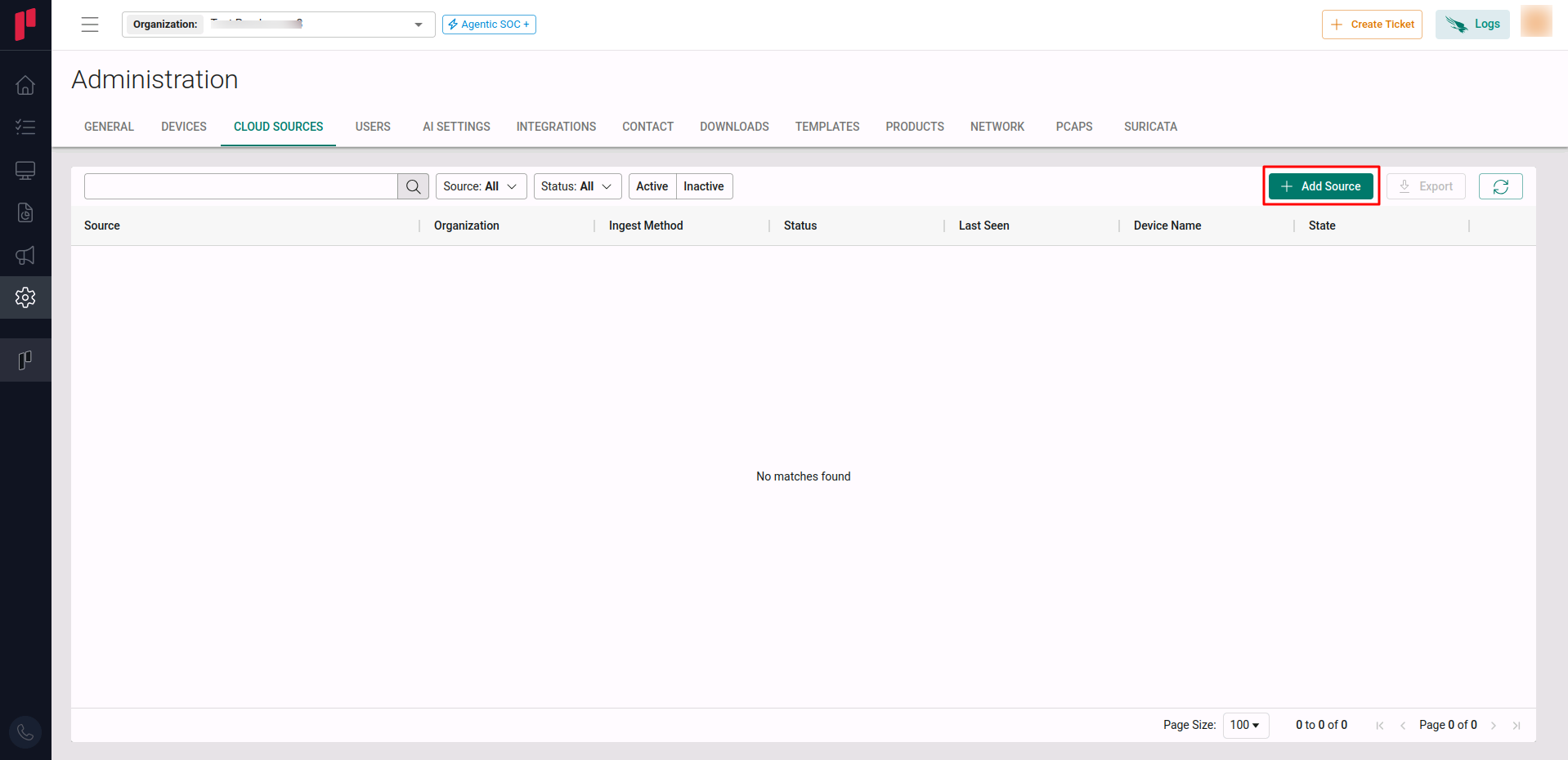
In the Scope application, to register a Cisco Secure Endpoint cloud source, navigate to the cloud source registration page –
-
Log into the Scope application
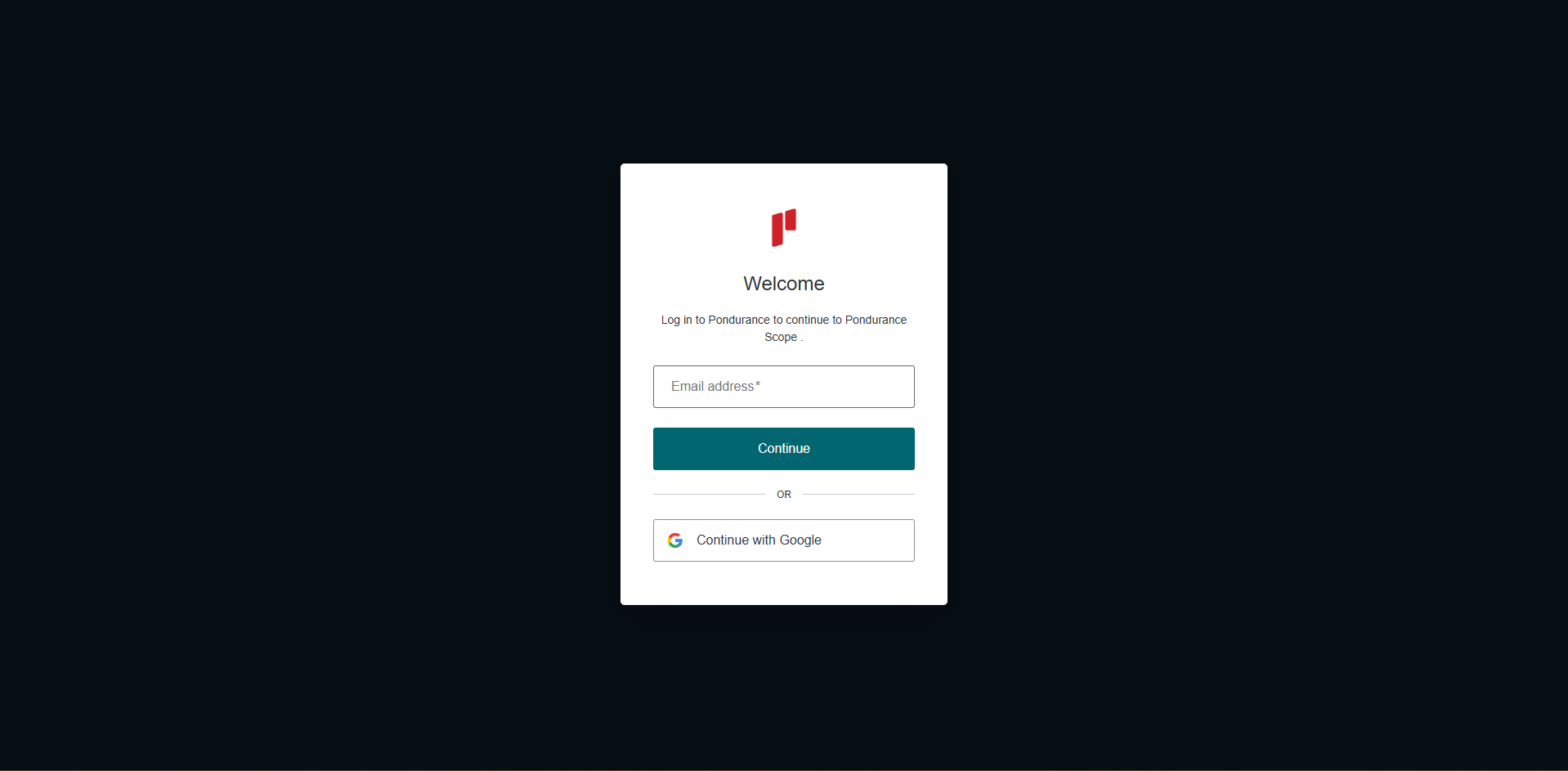
-
Select the required Organization from the Organization dropdown
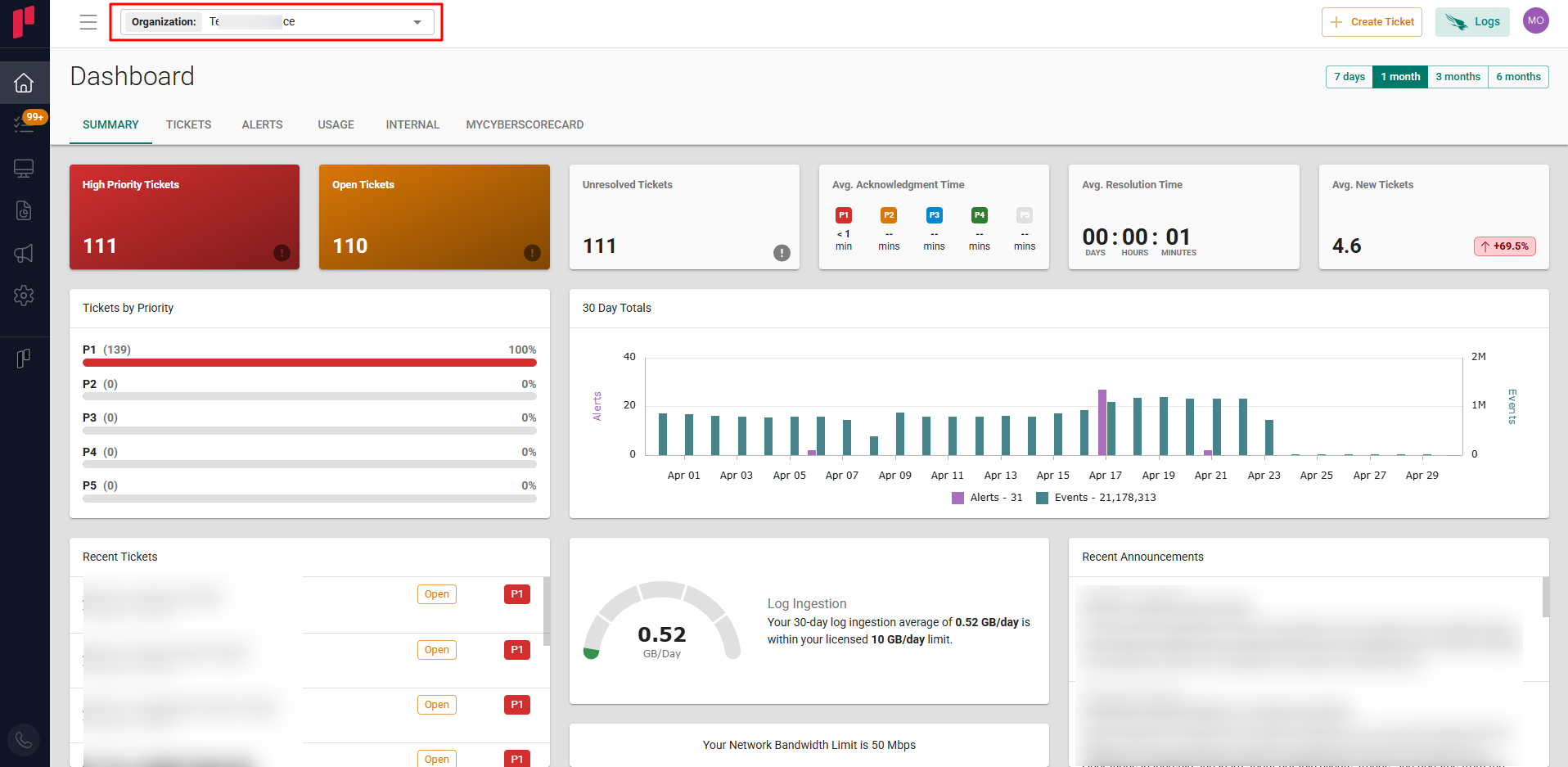
-
Navigate to the side menu -> Administration
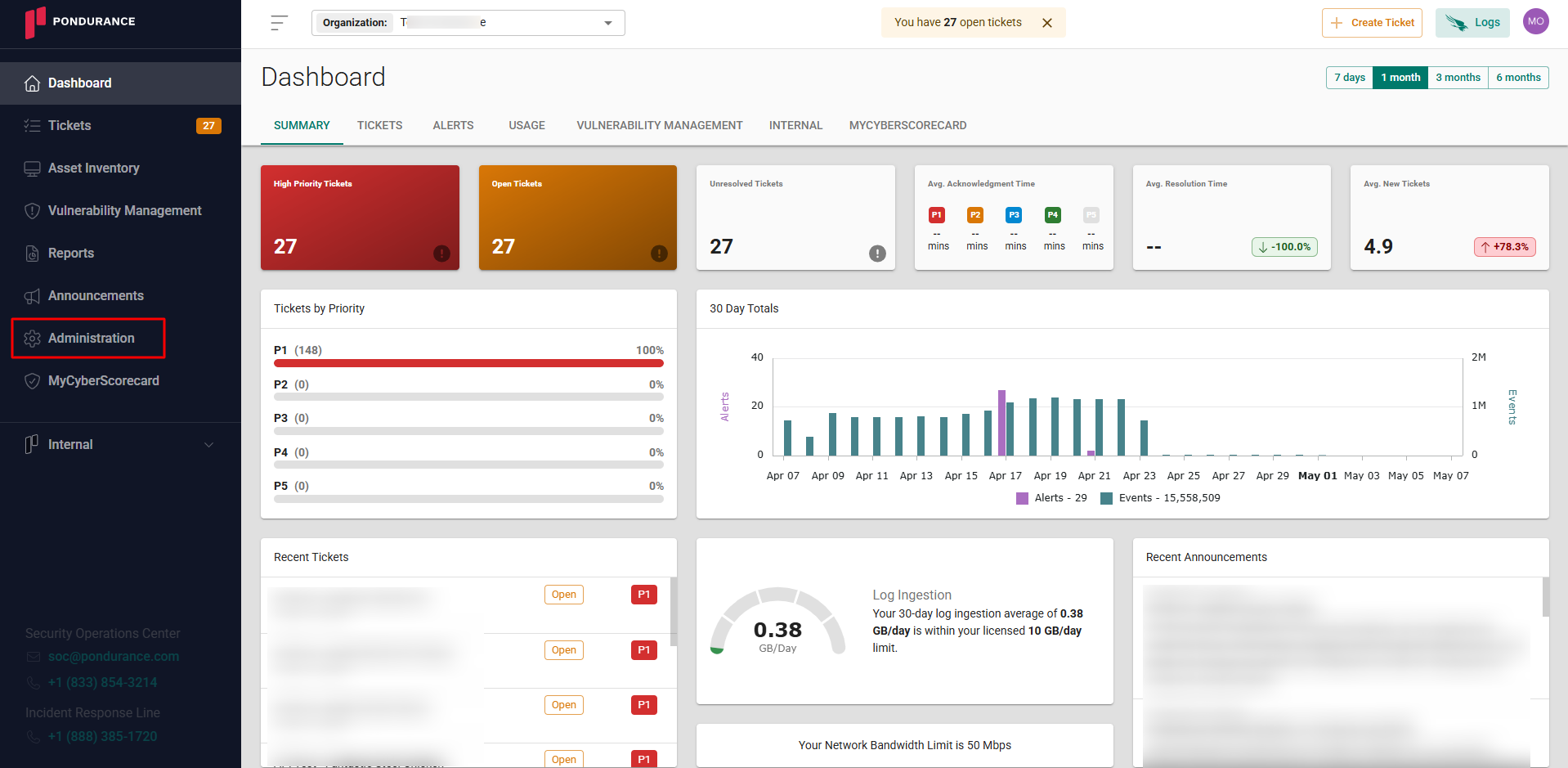
-
Navigate to the Cloud sources tab
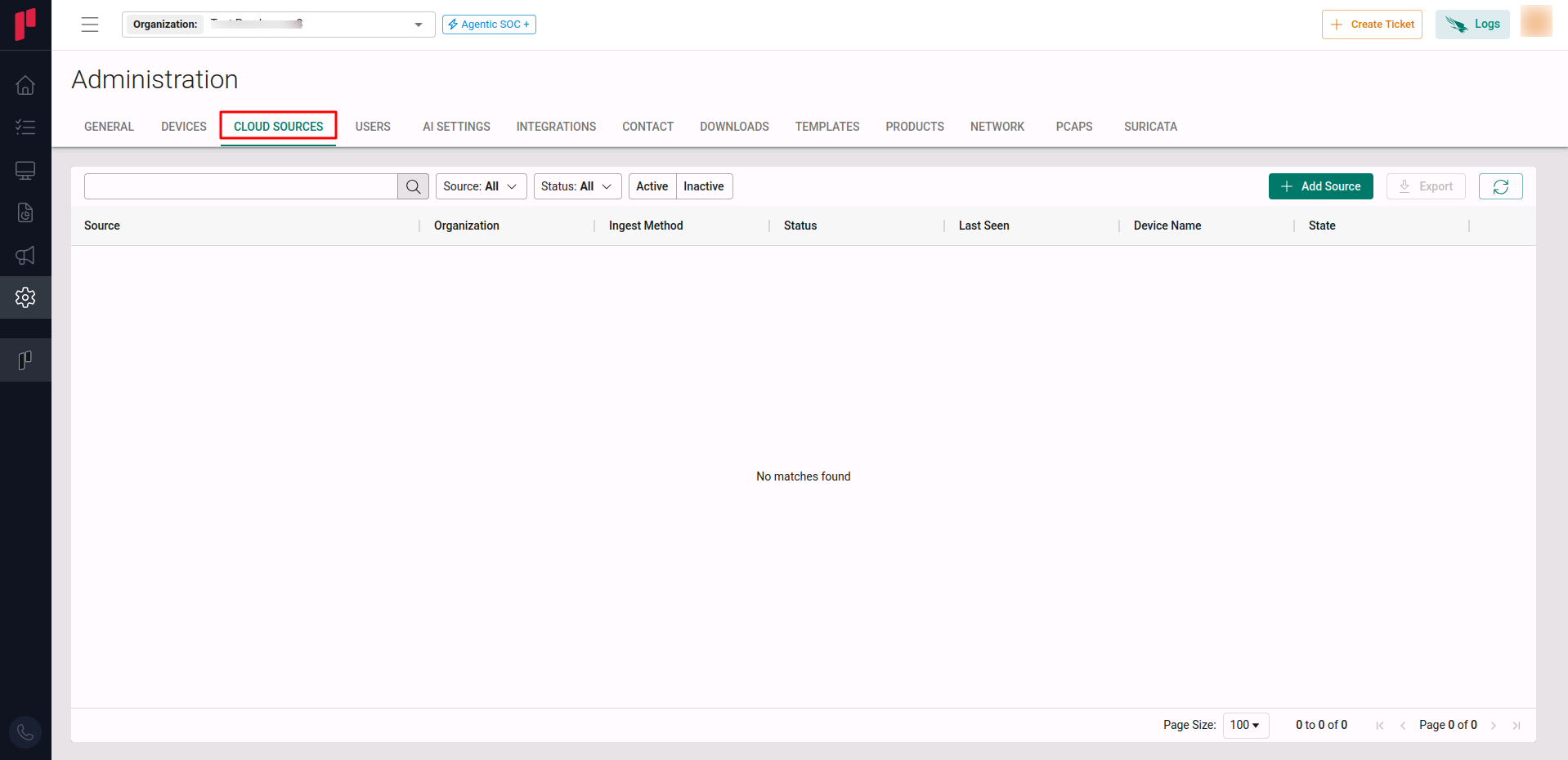
-
Click on the +Add Source button
-
In the Add Source pop-up, provide the parameters below.
-
Source: Select the Cisco Secure Endpoint source from the Source dropdown.
-
Site: The user defined name for the Cisco Secure Endpoint cloud source.
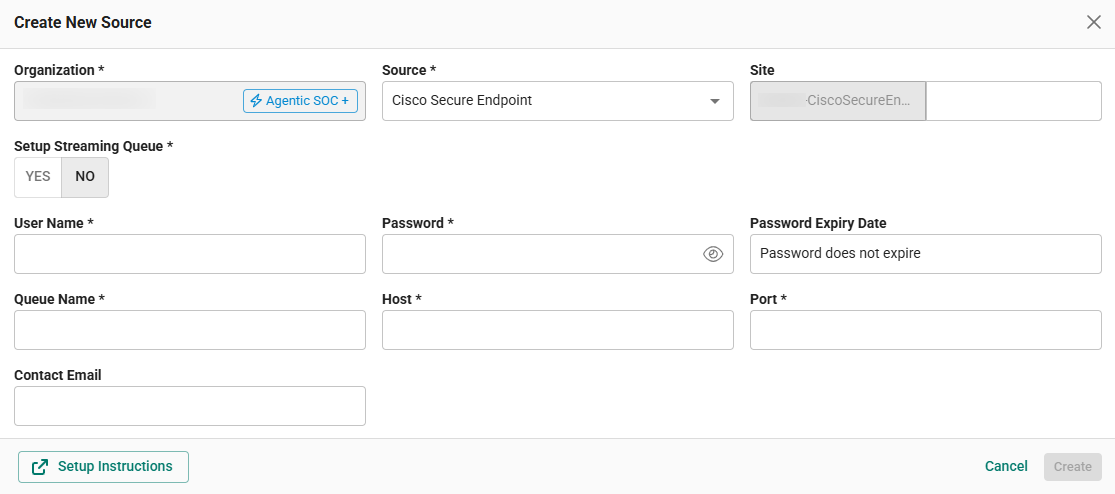
Option 1: Using Existing Queue Credentials
In the Create New Source pop-up, provide the parameters below.
-
Setup Streaming Queue: Set this toggle to No.
-
Username: Username for the Cisco Secure Endpoint queue that has been set up.
-
Password: Password for the Cisco Secure Endpoint queue that has been set up.
-
Host: Hostname or IP address of the Cisco Secure Endpoint event stream server.
-
Port: Network port used to connect to the Cisco Secure Endpoint event stream cloud source.
-
Contact Email: The email address of the person who registers the Cisco Secure Endpoint cloud source in Scope.
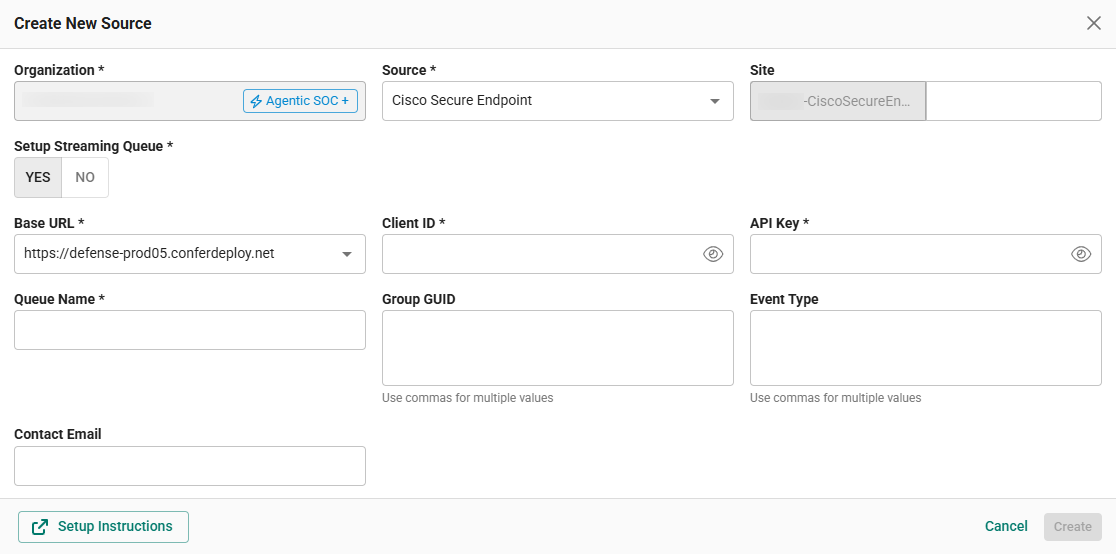
Option 2: Using Client ID / API Key (Create New Queue)
In the Create New Source pop-up, provide the parameters below.
-
Setup Streaming Queue: Set this toggle to Yes.
-
Base URL: Select the Base URL [identified in Step 3] from the dropdown.
-
Client ID: The Client ID generated in Step 1.
-
API Key: The API Key generated in Step 1.
-
Queue Name: User defined name for the Cisco Secure Endpoint cloud source queue to be created.
-
Group GUID (Optional): Group IDs fetched in Step 2. If left blank, all available groups for the customer will be ingested.
-
Event Type (Optional): Event Type IDs fetched in Step 2. If left blank, all available event types will be ingested.
-
Contact Email: The email address of the person who registers the Cisco Secure Endpoint cloud source in Scope.
-
Once the required connection parameters are entered, the Cisco Secure Endpoint cloud source registration is complete in Scope and is ready for ingestion of Cisco Secure Endpoint logs.