Proofpoint On-Demand
Overview
Configuring a cloud source in Scope is a two-step process.
-
Obtaining Proofpoint On-Demand (POD) API credentials from the Proofpoint support team. Please refer to Section 1 – Proofpoint On-Demand Setup
-
Setting up the Proofpoint On-Demand cloud source in the Scope application. Please refer to Section 2 – Scope Setup
Proofpoint On-Demand Setup
Step 1: Generate Cluster ID and API Key
-
Log in to the Proofpoint Email Protection Portal.
-
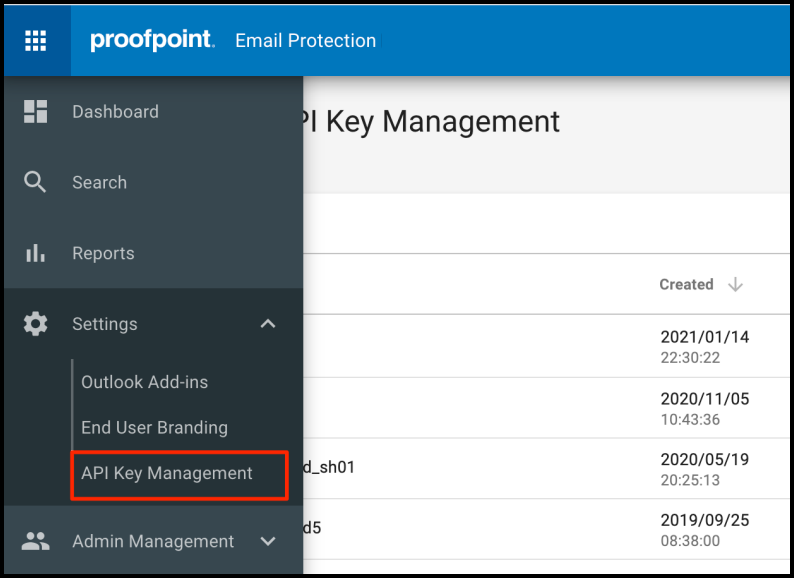
Go to Settings -> API Key Management, then click Create New.
-
From the ellipsis (three-dots) menu on the newly created API Key, select View Details and copy the key.
-
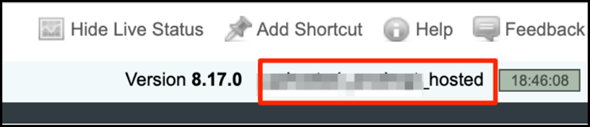
Copy the Cluster ID. This is assigned by Proofpoint and is displayed in the upper-right corner of the management interface next to the release number. Refer to Figure 5.
Note: The backfilling API requires a different set of keys than the API used to ingest Proofpoint On-Demand events. Repeat these steps to generate an additional set of keys for backfilling.
The Cluster ID and API Token are to be configured in Scope Setup: Step 1 for initiating the Proofpoint On-Demand log ingestion.
Scope Setup
Step 1: Proofpoint On-Demand Cloud Source Registration in the Scope Application
Once the credentials are generated, they must be configured in the Scope application to establish the connection and enable data ingestion from the Proofpoint On-Demand environment.
In the Scope application, to register a Proofpoint On-Demand cloud source, navigate to the cloud source registration page –
-
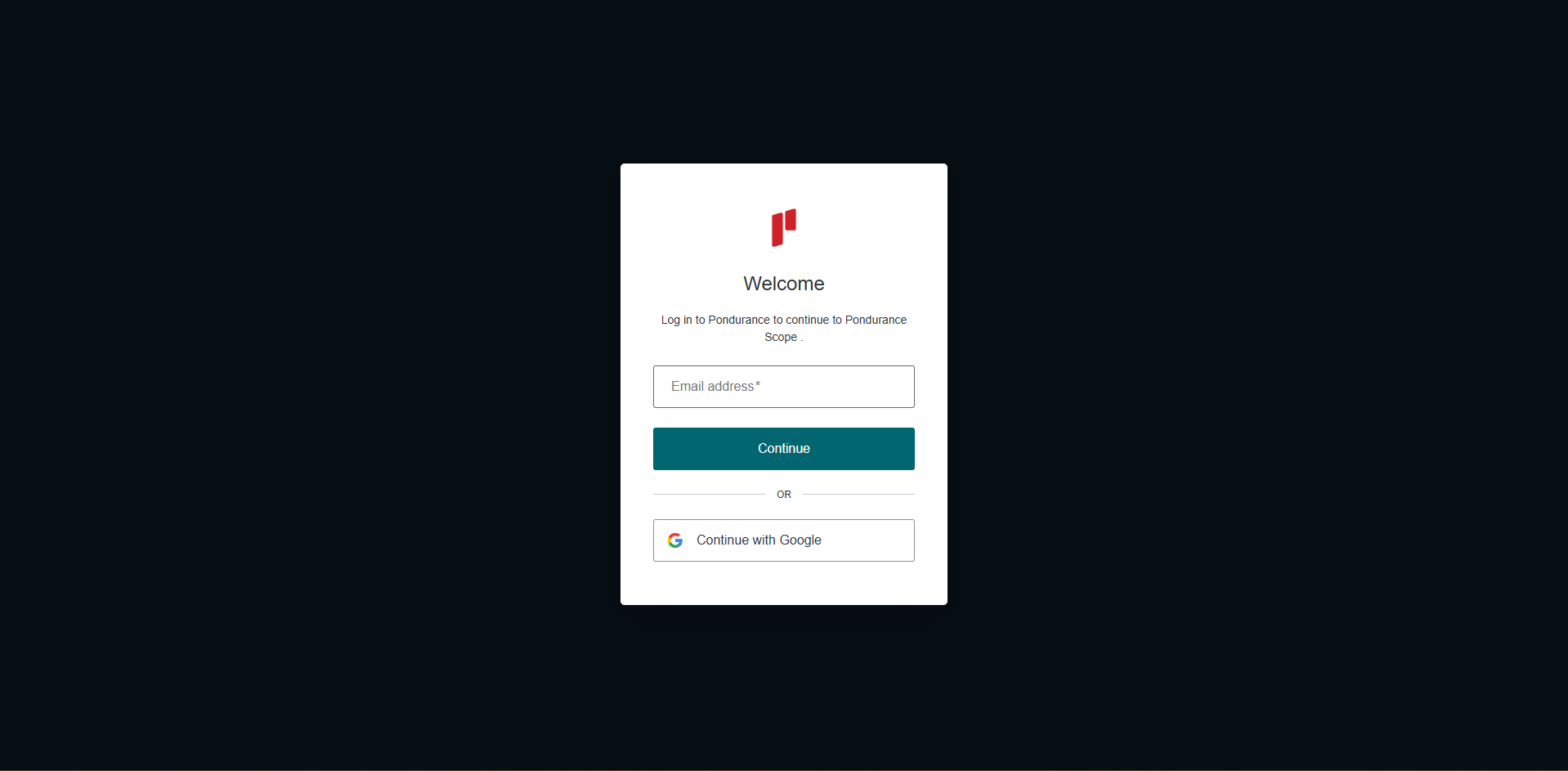
Log into the Scope application
-
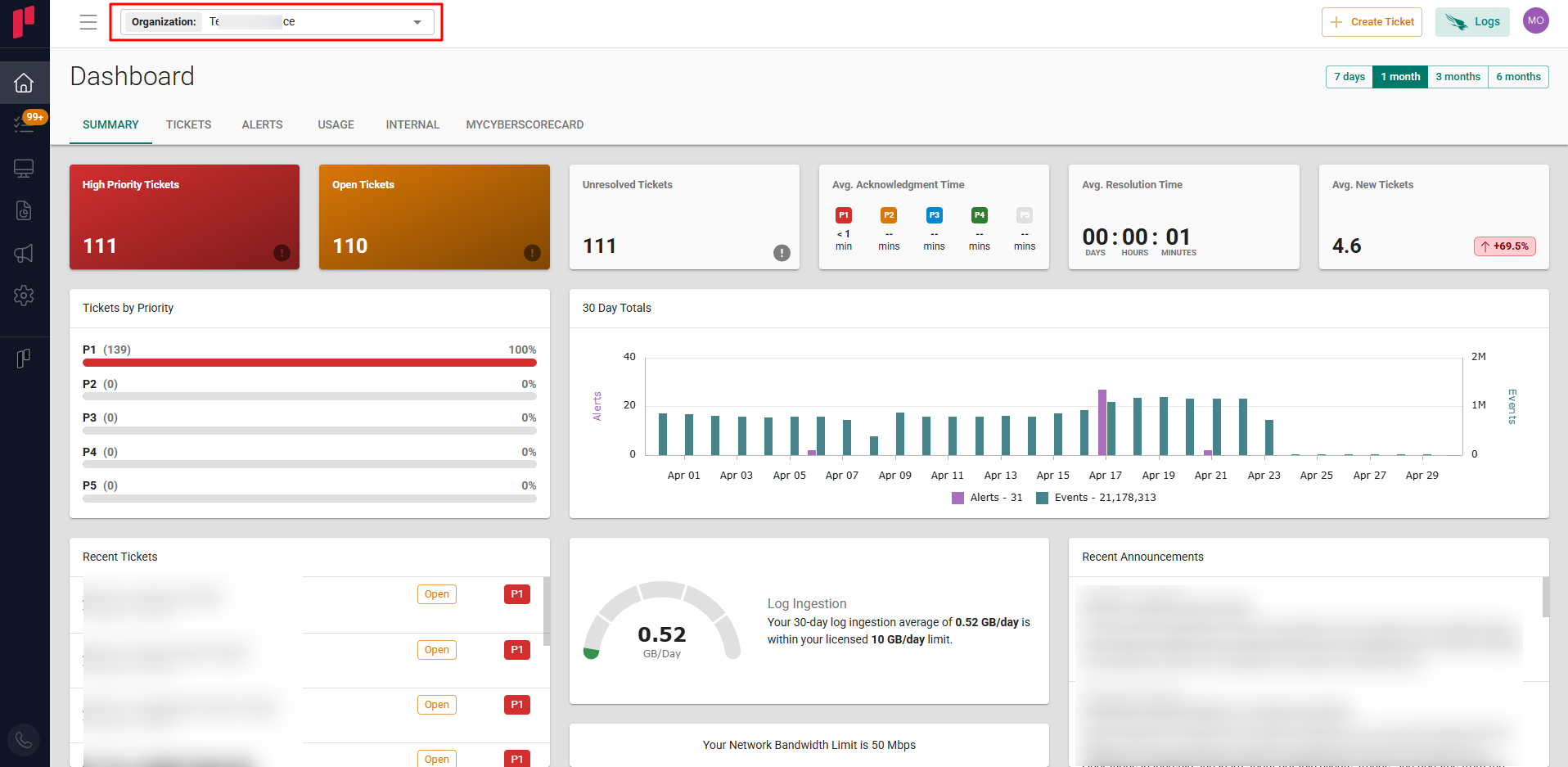
Select the required Organization from the Organization dropdown
-
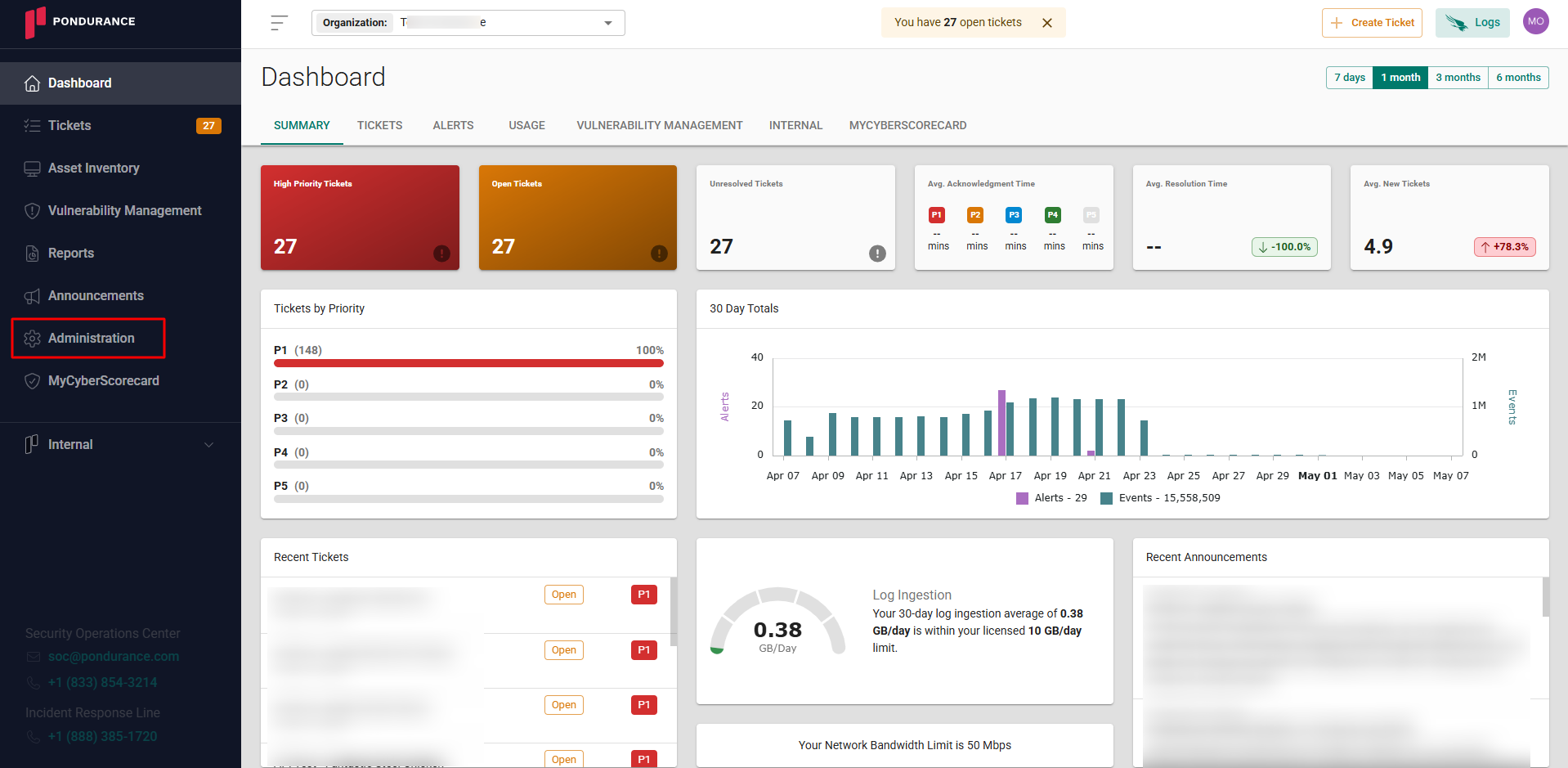
Navigate to the side menu -> Administration
-
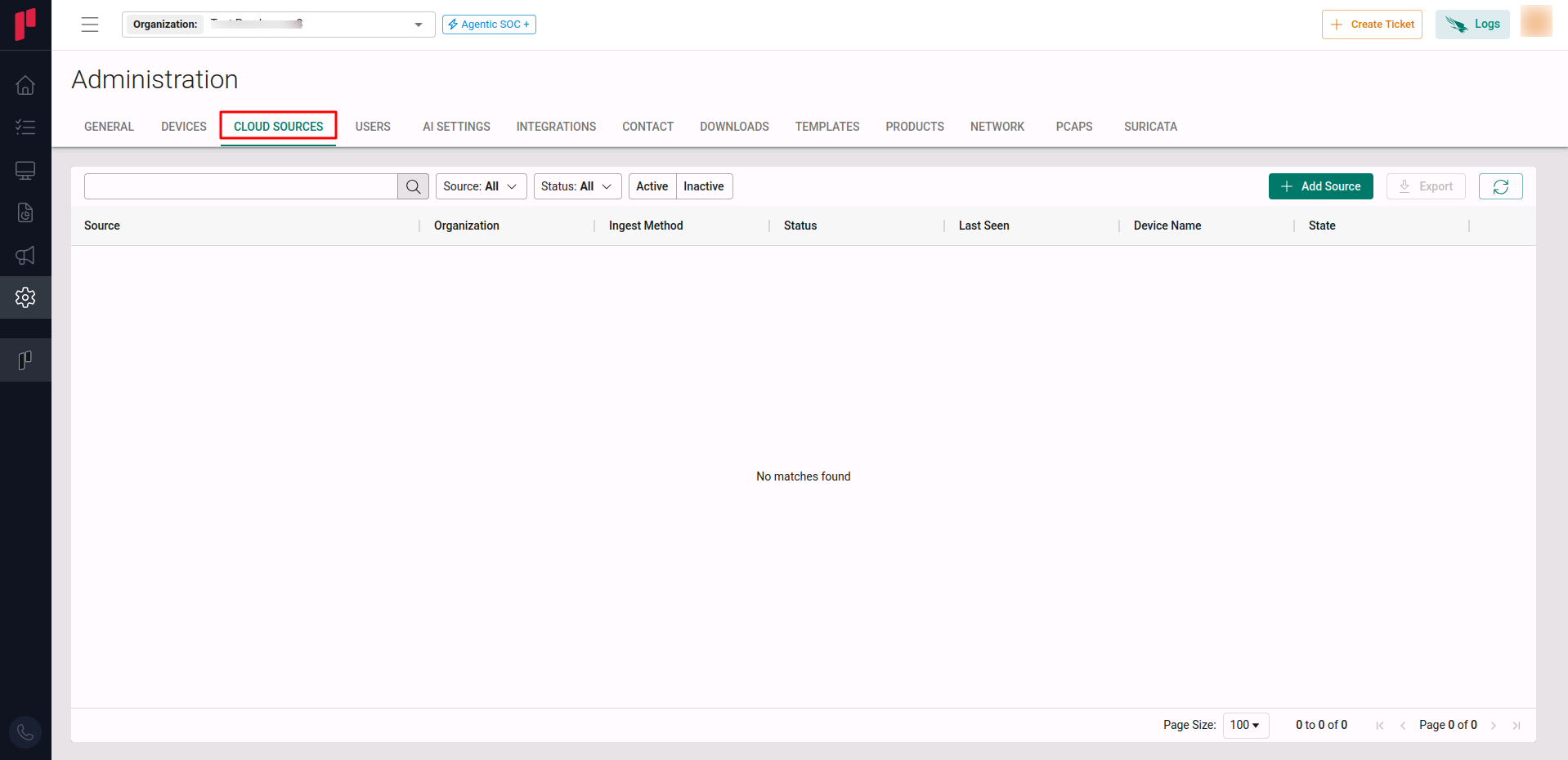
Navigate to the Cloud sources tab
-
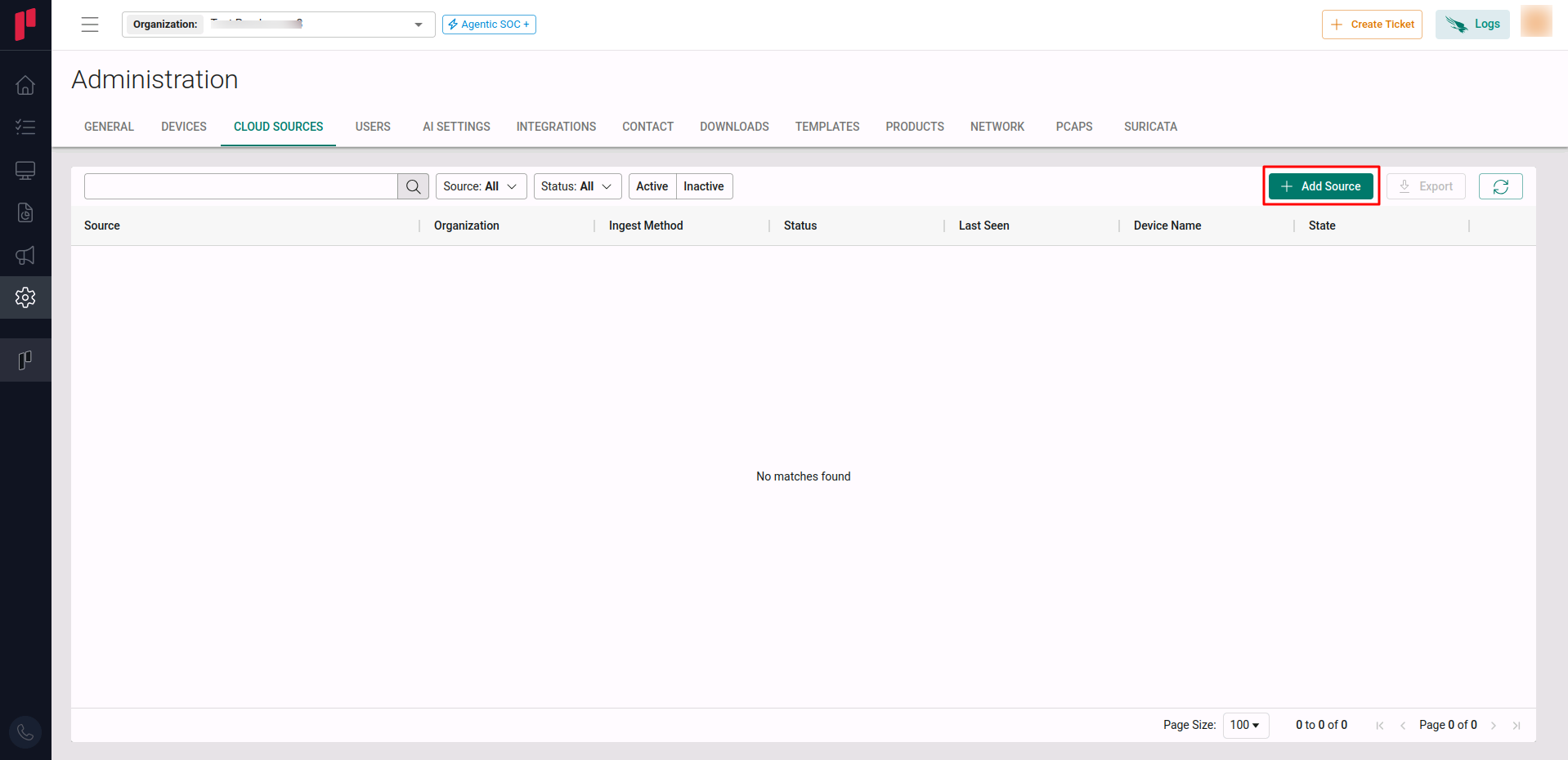
Click on the +Add Source button
-
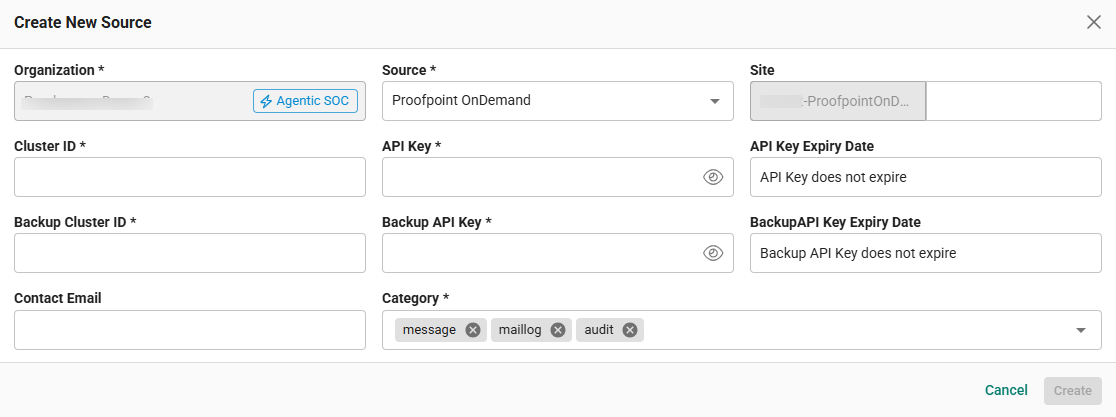
In the Add Source pop-up, provide the parameters below.
-
Source: Select the Proofpoint OnDemand source from the Source dropdown.
-
Site: The user defined name for the Proofpoint On-Demand cloud source.
-
Cluster ID: Unique identifier assigned to a specific set of servers by Proofpoint. (from Step 1).
-
API Key: The generated API Key (from Step 1).
-
Backup Cluster ID: Unique identifier assigned to a specific set of servers by Proofpoint. (from Step 1).
-
API Key: The generated backup API Key (from Step 1). This API key will be used for backfilling of PoD events.
-
Contact Email: The email address of the person who registers the Proofpoint On-Demand cloud source in Scope.
-
Once the required connection parameters are entered, the Proofpoint On-Demand cloud source registration is complete in Scope and is ready for real-time ingestion of Proofpoint On-Demand logs.