Fortinet FortiGate
Fortinet FortiGate Log Forwarding Configuration
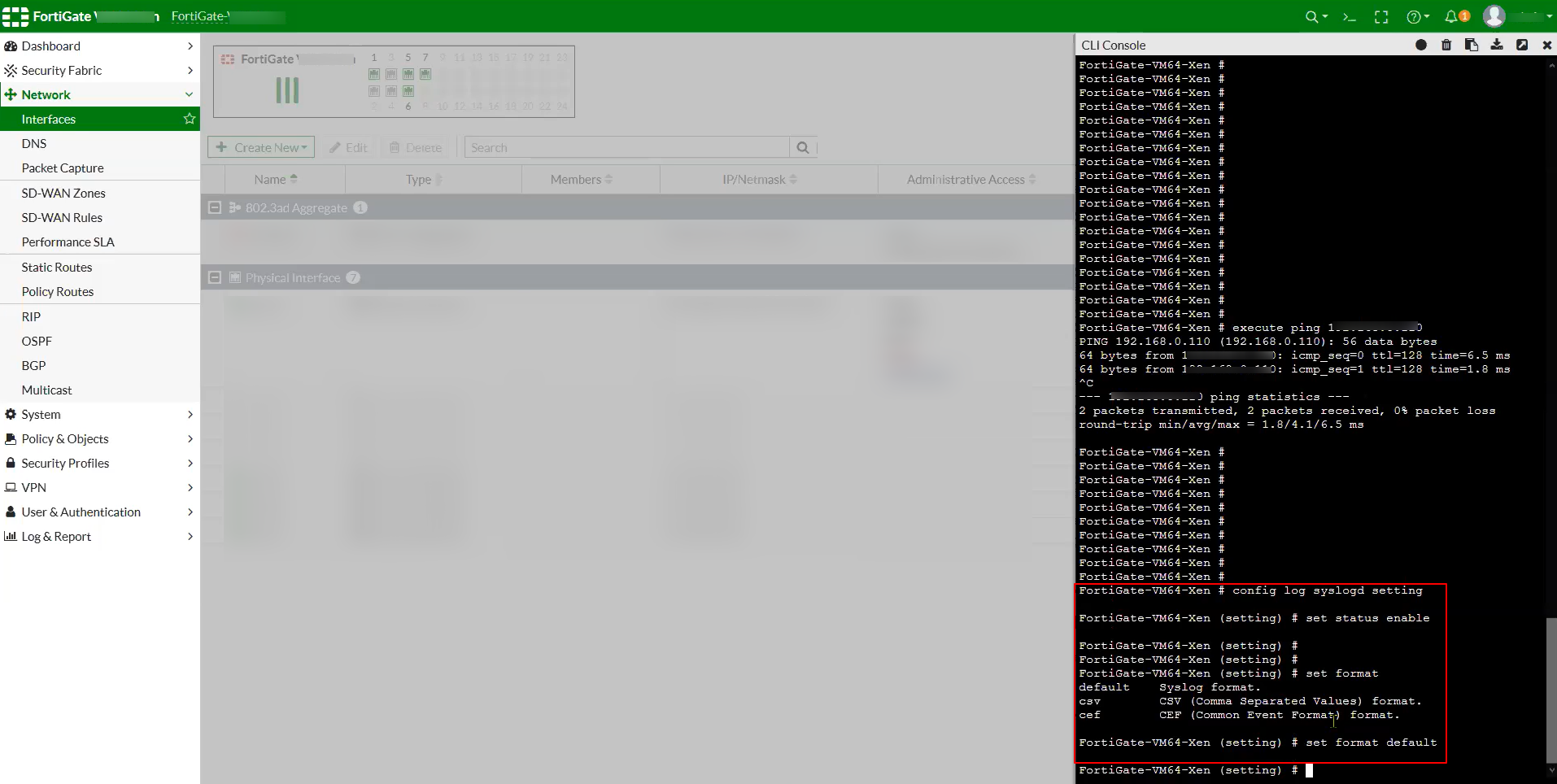
To configure log forwarding from Fortinet FortiGate, use the remote syslog logging configuration available via the FortiGate CLI. Follow the official documentation below for step-by-step setup instructions.
-
Configure Syslog Server using CLI
When configuring syslog, set the log format to default (key-value pair).
Supported Log Formats
The Scope application supports ingestion of Fortinet FortiGate logs in the Syslog format.
Sample logs
<188>date=2020-04-23 time=12:17:48 devname="testswitch1" devid="somerouterid" logid="0316013056" type="utm" subtype="webfilter" eventtype="ftgd_blk" level="warning" vd="root" eventtime=1587230269052907555 tz="-0500" policyid=100602 sessionid=1234 user="redact" group="redact" authserver="redact" srcip=10.168.2.1 srcport=61930 srcintf="port1" srcintfrole="lan" dstip=10.43.156.13 dstport=443 dstintf="wan1" dstintfrole="wan" proto=6 service="HTTPS" hostname="redact.co" profile="redact" action="blocked" reqtype="direct" url="/config/" sentbyte=1152 rcvdbyte=1130 direction="outgoing" msg="URL belongs to a denied category in policy" method="domain" cat=76 catdesc="Internet Telephony"