Palo Alto Global Protect
Palo Alto Global Protect Log Forwarding Configuration
To configure log forwarding from Palo Alto Global Protect, use the syslog monitoring configuration available in the PAN-OS management interface. Follow the official documentation below for step-by-step setup instructions.
-
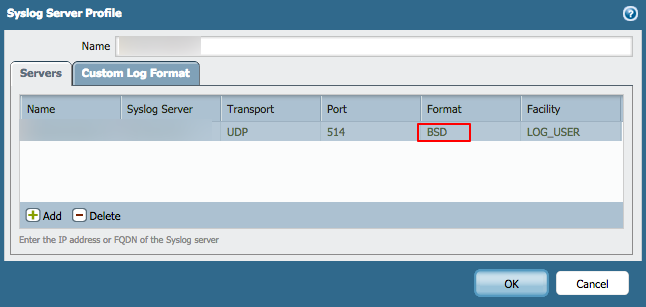
When configuring syslog, in Create Syslog Server Profile, select the syslog message format as BSD (the default).
Supported Log Formats
The Scope application supports ingestion of Palo Alto Global Protect logs in the Syslog format.
Sample logs
Nov 30 16:09:08 REDACT-HOST 1,2019/11/23 00:44:44,01234567890,AUTHENTICATION,login,2561,2019/11/23 00:44:44,vsys1,0080::4e7:1ab2:f6aa:8200,user,normalize-user,object,auth-policy,12345,auth-id,vendor,log-action,server-profile,description,client-type,event-type,10,20,action-flag,0,0,0,0,vsys-name,device-name,vsys-id,auth-protocol,uuid,2021-11-23T01:03:05.498-08:00,src-category,src-profile,src-model,src-vendor,src-os-family,src-os-version,src-hostname,aa:aa:aa:aa:aa:aa,region,,"Mozilla/5.0 (Macintosh; Intel Mac OS X 10_10_5) AppleWebKit/537.36 (KHTML, like Gecko) Chrome/51.0.2704.103 Safari/537.36",session-id