Cisco Secure Email Gateway
Cisco Secure Email Gateway Log Forwarding Configuration
To configure log forwarding from Cisco Secure Email Gateway, use the Log Subscription feature available in the Email Security appliance GUI. Follow the official documentation below for step-by-step setup instructions.
-
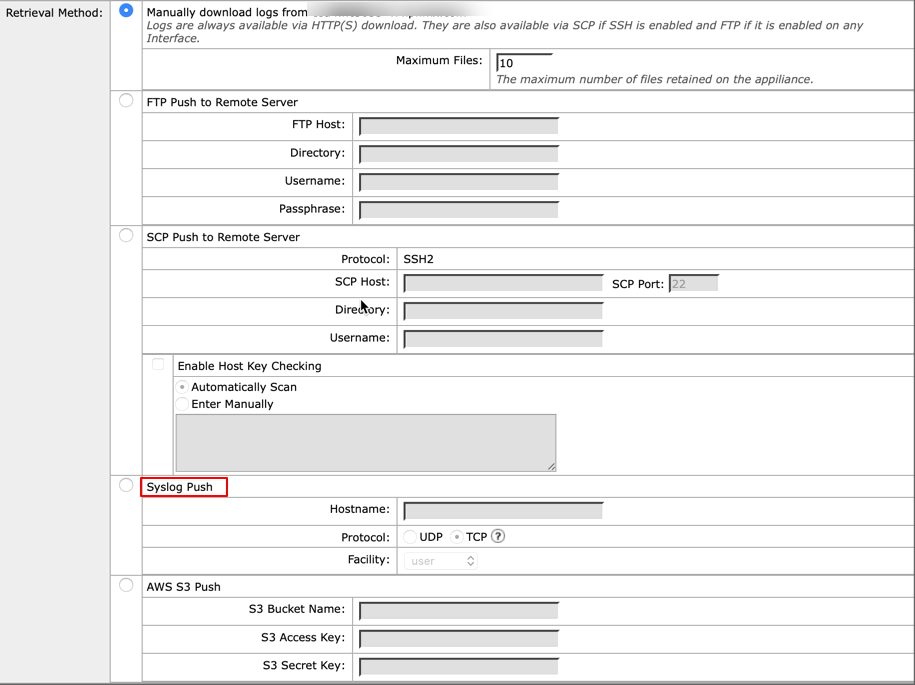
When configuring syslog, for Retrieval Method, select Syslog Push. This method actively sends log messages in RFC 3164 format to a remote syslog server, which is the format required by Scope.
Supported Log Formats
The Scope application supports ingestion of Cisco Secure Email Gateway logs in the Syslog format.
Sample logs
<166>Mar 17 18:24:37 amp: Info: File reputation query initiating. File Name = 'mod-6.exe', MID = 5, File Size = 1673216 bytes, File Type = application/x-dosexec