Cloudflare Logpush
Overview
This guide explains how to configure Cloudflare Logpush to deliver supported Cloudflare datasets to a Pondurance-managed Amazon S3 destination.
Each Cloudflare dataset requires a separate Logpush job. Pondurance will provide the destination details and approved dataset list through a secure channel.
Note: Cloudflare Logpush availability depends on your Cloudflare plan. If Logpush is not available in your dashboard, contact your Cloudflare account representative.
Before You Begin
Confirm that you have:
- Administrator access in Cloudflare with permission to configure Logpush.
- Approval through your organization’s change-management process for external log delivery.
- The following information from Pondurance:
- AWS Access Key ID
- AWS Secret Access Key
- S3 bucket name
- Customer organization code
- Approved Cloudflare datasets
Pondurance currently uses the AWS Region us-east-2 for this destination.
Important: Treat the AWS credentials as secrets. Do not include them in email threads or support tickets.
Cloudflare Logpush Setup
Step 1: Open Logpush
-
Sign in to the Cloudflare dashboard.
-
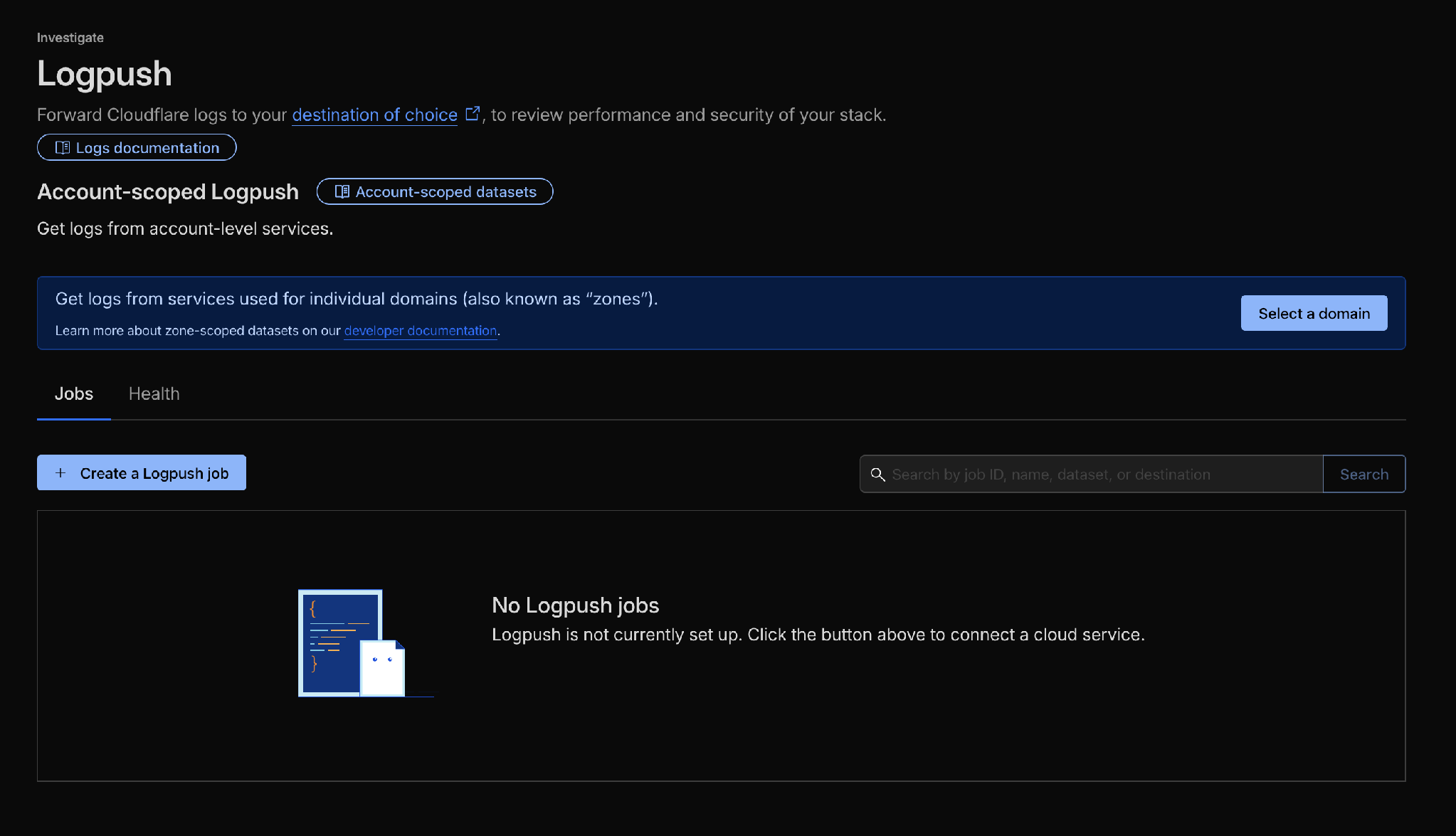
Open Analytics & Logs -> Logpush at the account or zone level required for the dataset.
-
Click Create a Logpush job.
Step 2: Configure the S3-Compatible Destination
-
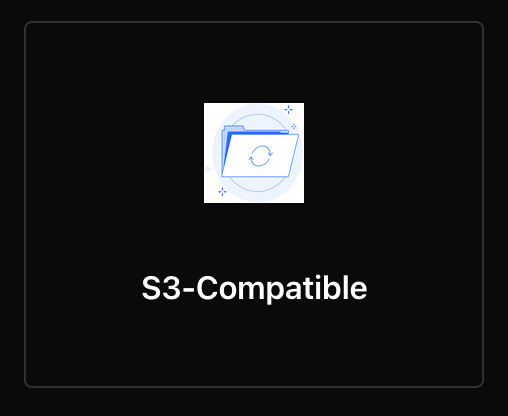
Select S3-Compatible as the destination.
-
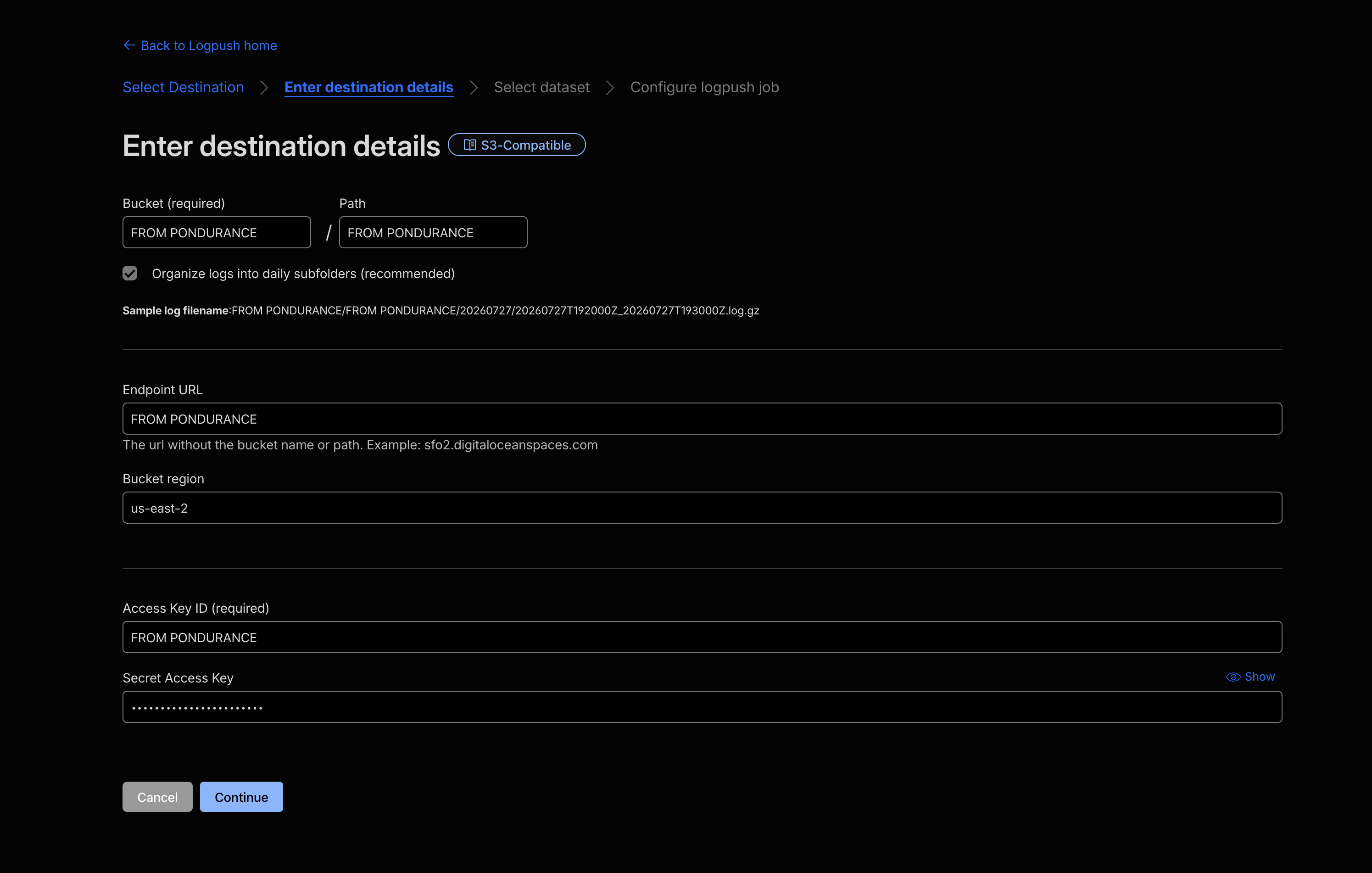
Enter the destination details provided by Pondurance:
- Bucket: S3 bucket name provided by Pondurance.
- Path: Use the exact prefix for the selected dataset from the Dataset and Path Prefix Reference.
- Endpoint URL:
s3.us-east-2.amazonaws.com - Bucket region:
us-east-2 - Access Key ID: Access Key ID provided by Pondurance.
- Secret Access Key: Secret Access Key provided by Pondurance.
-
Click Continue.
Step 3: Select and Configure the Dataset
-
Select the dataset to send to Pondurance.
-
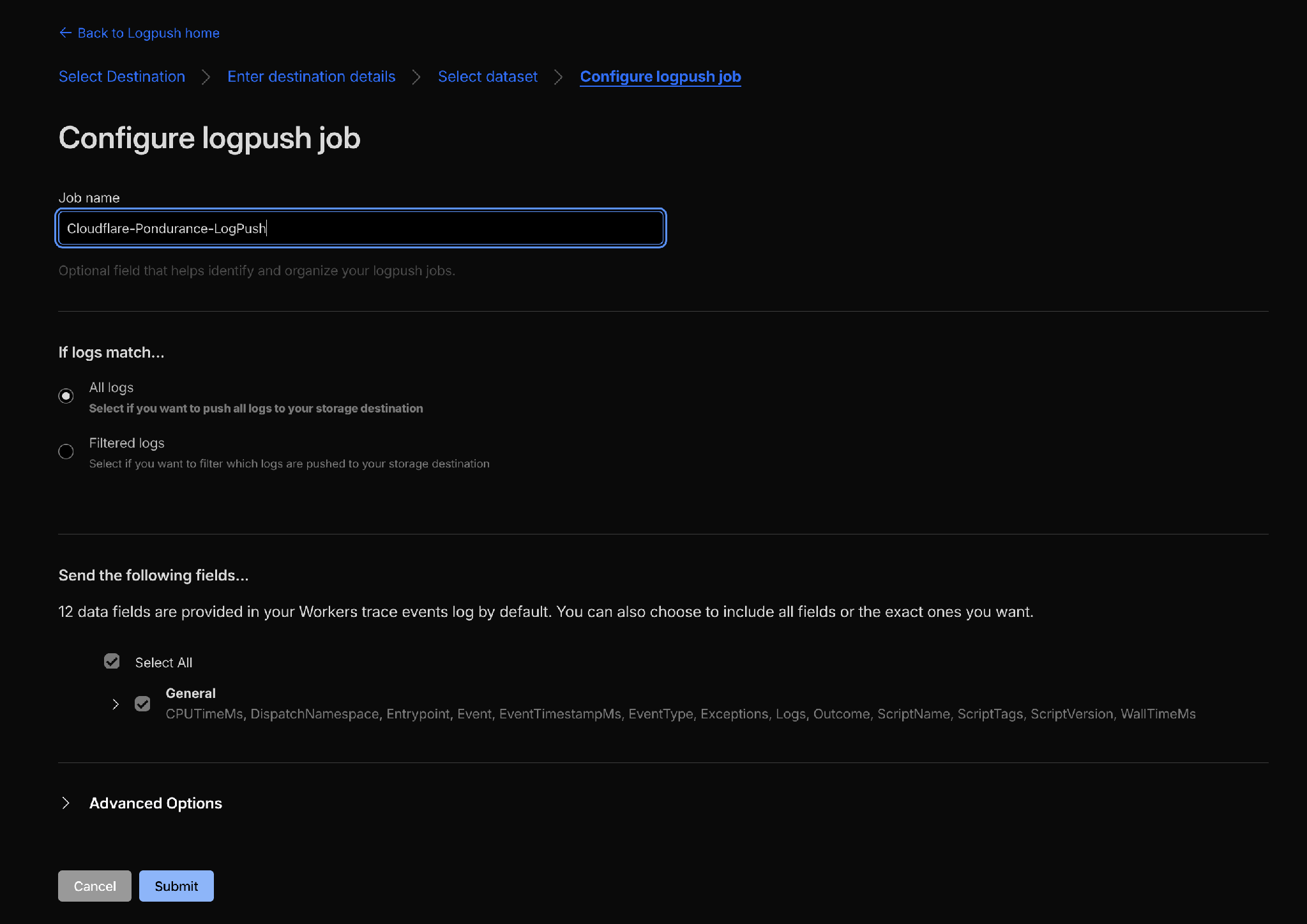
Enter a descriptive job name.
-
Under If logs match, include all events unless Pondurance has provided a specific filter.
-
Under Send the following fields, select all available fields.
-
Review the configuration, then click Submit.
-
Repeat Steps 1–3 for every dataset Pondurance has approved.
Dataset and Path Prefix Reference
Replace {customer_org_code} with the customer organization code provided by Pondurance. Prefixes are case-sensitive and must include the trailing /.
Zone-Scoped Datasets
| Cloudflare Dataset | S3 Path Prefix |
|---|---|
DNS logs (dns_logs) |
{customer_org_code}/cloudflare_logpush_dns/ |
Firewall events (firewall_events) |
{customer_org_code}/cloudflare_logpush_firewall_event/ |
HTTP requests (http_requests) |
{customer_org_code}/cloudflare_logpush_http_request/ |
NEL reports (nel_reports) |
{customer_org_code}/cloudflare_logpush_nel_report/ |
Spectrum events (spectrum_events) |
{customer_org_code}/cloudflare_logpush_spectrum_event/ |
Account-Scoped Datasets
| Cloudflare Dataset | S3 Path Prefix |
|---|---|
Access requests (access_requests) |
{customer_org_code}/cloudflare_logpush_access_request/ |
Audit logs (audit_logs) |
{customer_org_code}/cloudflare_logpush_audit/ |
CASB Findings (casb_findings) |
{customer_org_code}/cloudflare_logpush_casb/ |
Device posture results (device_posture_results) |
{customer_org_code}/cloudflare_logpush_device_posture/ |
DNS Firewall Logs (dns_firewall_logs) |
{customer_org_code}/cloudflare_logpush_dns_firewall/ |
Gateway DNS (gateway_dns) |
{customer_org_code}/cloudflare_logpush_gateway_dns/ |
Gateway HTTP (gateway_http) |
{customer_org_code}/cloudflare_logpush_gateway_http/ |
Gateway Network (gateway_network) |
{customer_org_code}/cloudflare_logpush_gateway_network/ |
Magic IDS Detections (magic_ids_detections) |
{customer_org_code}/cloudflare_logpush_magic_ids/ |
Network Analytics Logs (network_analytics_logs) |
{customer_org_code}/cloudflare_logpush_network_analytics/ |
Zero Trust Network Session Logs (zero_trust_network_sessions) |
{customer_org_code}/cloudflare_logpush_network_session/ |
Sinkhole HTTP Logs (sinkhole_http_logs) |
{customer_org_code}/cloudflare_logpush_sinkhole_http/ |
Workers Trace Events (workers_trace_events) |
{customer_org_code}/cloudflare_logpush_workers_trace/ |
Important: Configure only the datasets Pondurance has confirmed are in scope.
Validate Log Delivery
- Confirm that each Logpush job is enabled.
- Generate activity for the configured dataset, if practical.
- Allow up to 30 minutes for the first delivery.
- Notify your Pondurance onboarding contact that test data has been sent.
- Pondurance will confirm receipt and parsing.
Troubleshooting
S3 Validation Error
- Re-enter the Access Key ID and Secret Access Key.
- Confirm that the bucket name, endpoint, Region, and path prefix (including the customer organization code) match the values provided by Pondurance.
- Ask your Pondurance onboarding contact to confirm the assigned credentials allow
s3:PutObjectfor the required prefix.
Job Is Enabled but No Data Arrives
- Confirm that the path prefix exactly matches the reference table, including the trailing
/. - Confirm that the correct account-scoped or zone-scoped dataset was selected.
- Confirm that the dataset contains recent activity.
Delivery Is Delayed
Delivery timing varies by dataset and event volume. Allow up to 30 minutes after enabling a job before escalating the issue.
Need Help?
Contact your Pondurance onboarding representative and include:
- Customer organization name
- Cloudflare validation or delivery error text
Do not include the AWS Secret Access Key.